Can I use the AI image layer separator for free?
You can start with a free trial. Creating the final asset set requires sign-in and uses the credits available on your CreatOK account.
Upload a JPG or PNG, select the objects you want to isolate, and turn one finished image into transparent object cutouts plus a reusable background.
This real app example keeps the logo, title, product, and background as distinct assets instead of flattening them into one composition.
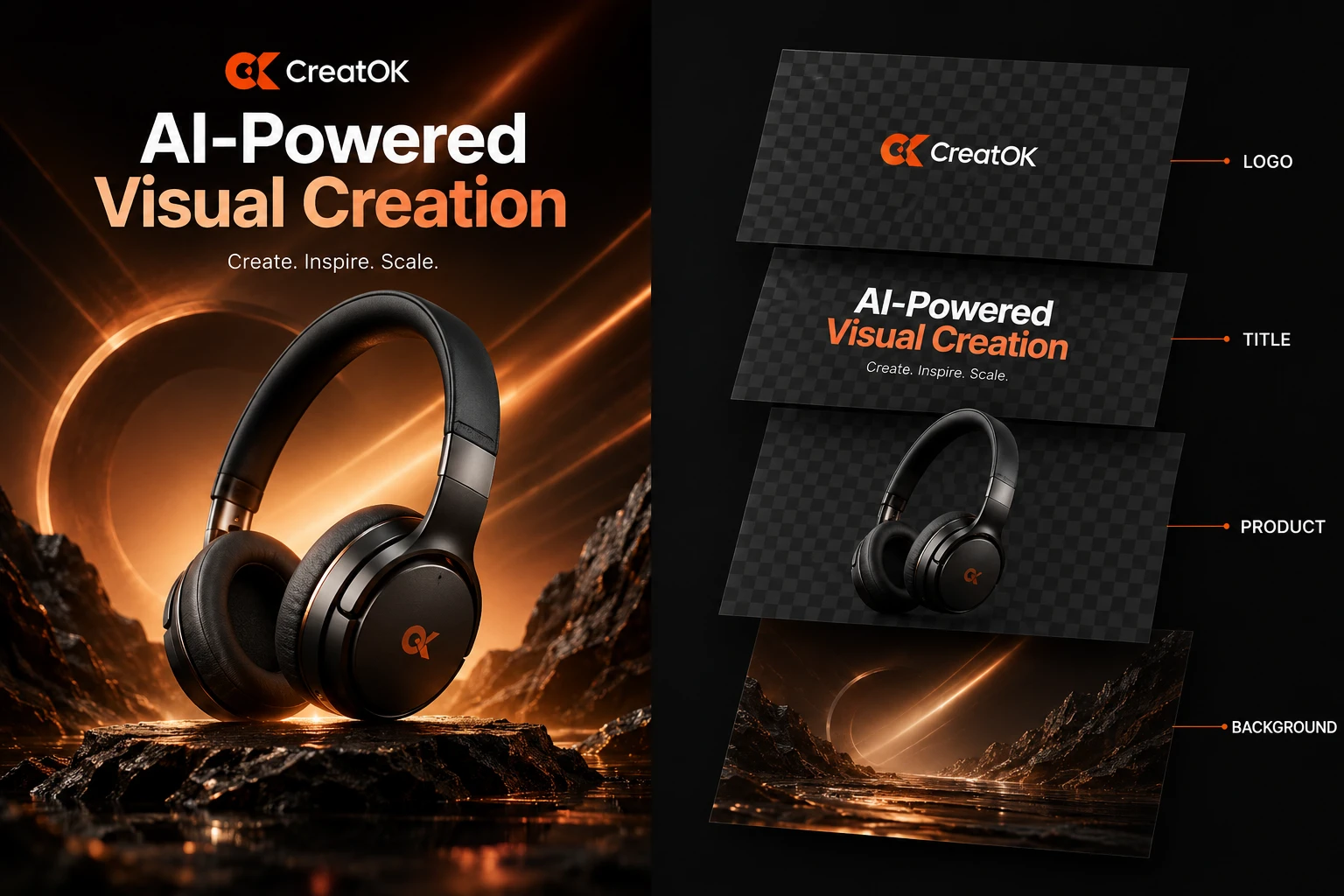
Select regions precisely, arrange visibility and order, then download individual assets or the complete set.
Use the separator when the composition is useful but the original design file is unavailable or difficult to edit.
Separate headlines, logos, products, and backgrounds so a finished campaign design can be adapted into new layouts.
Extract the product and supporting elements from a listing graphic before rebuilding variants for other placements.
Isolate the parts of a flattened post that need to move, hide, or be reused in another format.
Give designers separate creative elements instead of a single flattened reference file.
Choose the source, mark the elements that matter, and create a reusable asset set.
Start with the finished creative you want to decompose, such as a poster, product card, or social graphic.
Draw a box around every logo, text block, product, or object that should become its own asset.
Review the stack, change visibility or order, and download one asset or the complete result set.
The workflow focuses on selected elements, transparent cutouts, and a practical asset stack for further editing.
Mark the exact objects you want instead of asking the tool to guess which parts of the composition matter.
Review transparent elements and the background in one canvas, then show, hide, select, or reorder objects.
Download a specific extracted element, the background, or all generated files together.
Extracted elements are returned as transparent PNG files, ready for compatible design and editing workflows.
Practical answers about formats, output, quality, access, privacy, and usage rights before you separate a real file.
You can start with a free trial. Creating the final asset set requires sign-in and uses the credits available on your CreatOK account.
The separator accepts JPG and PNG source files. Extracted elements are generated as transparent PNG files.
No. CreatOK creates separate asset files and a background rather than a native PSD document. You can download the files and bring them into a compatible editor.
Clear object boundaries, sufficient source resolution, and precise region selection help. Overlapping objects, heavy blur, or hidden edges may require additional editing.
Uploads are used to complete the separation task in your account. Do not upload confidential material or files you are not authorized to process.
Commercial use depends on the rights you hold to the source material, logos, products, people, and other depicted content. The tool does not transfer those rights.
Prepare the source or refine the result with other CreatOK tools.
Upload a poster, product design, or social graphic, select the elements you need, and create reusable transparent assets plus a background.