Seedream 5.0 Pro AI Image Generator
Create high-impact commercial images with ByteDance's Pro image model. Use text prompts or up to 10 reference images for consistent characters, products, outfits, and campaign visuals.
Model
Upload reference images
JPG, JPEG, PNG or WEBP up to 10 MB
Sign in to start generating. Free monthly quota included.

Why Creators Use Seedream 5.0 Pro
A practical image model for product visuals, social campaigns, and precise multi-image edits.
Multi-Reference Consistency
Use up to 10 reference images to preserve product identity, character features, outfit details, and scene context across a single generation.
Best for product lineups, model styling, visual remixes, and brand asset adaptation.
Premium 2K Output
Choose 1K for fast drafts or 2K for sharper campaign-ready visuals with richer detail and cleaner composition.
Use 2K for ads, marketplace images, landing visuals, and social thumbnails.
Precise Image Editing
Transform clothing, backgrounds, materials, product placements, and lighting while keeping the important subject structure intact.
Great for outfit replacement, product staging, localized marketing, and seasonal refreshes.
Cinematic Visual Impact
Handles dramatic lighting, wide-angle perspective, ray-traced reflections, motion blur, and dense color layering for high-impact visuals.
Use it for hero images, poster concepts, and scroll-stopping TikTok Shop creatives.
Commercial Creative Workflow
Built into CreatOK's image generator with model selection, reference uploads, aspect ratios, history, and asset workflows.
Move from prompt to usable campaign image without switching tools.
Clear Cost Tiers
CreatOK exposes only 1K and 2K tiers for this model, keeping pricing predictable and avoiding custom-size pixel billing surprises.
Teams can plan drafts and final outputs with simple credit rules.
Seedream 5.0 Pro Examples
Explore practical ways to use Seedream 5.0 Pro for e-commerce, creator content, and campaign production.
Official examples from ByteDance Seed
High-Density Tea Infographic
Official Seedream 5.0 Pro example showing dense educational layout, readable text, diagrams, and refined visual hierarchy.
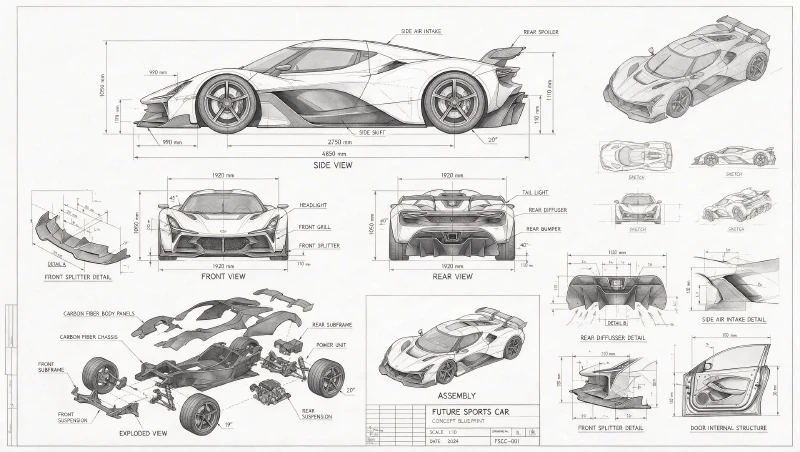
Blueprint Sports Car Study
A technical drawing example with multi-view vehicle diagrams, assembly details, measurement labels, and controlled grayscale structure.

Pet E-Commerce Hero Banner
A commercial homepage hero banner example with product-card UI, warm lighting, and a 3D pet composition breaking the frame.

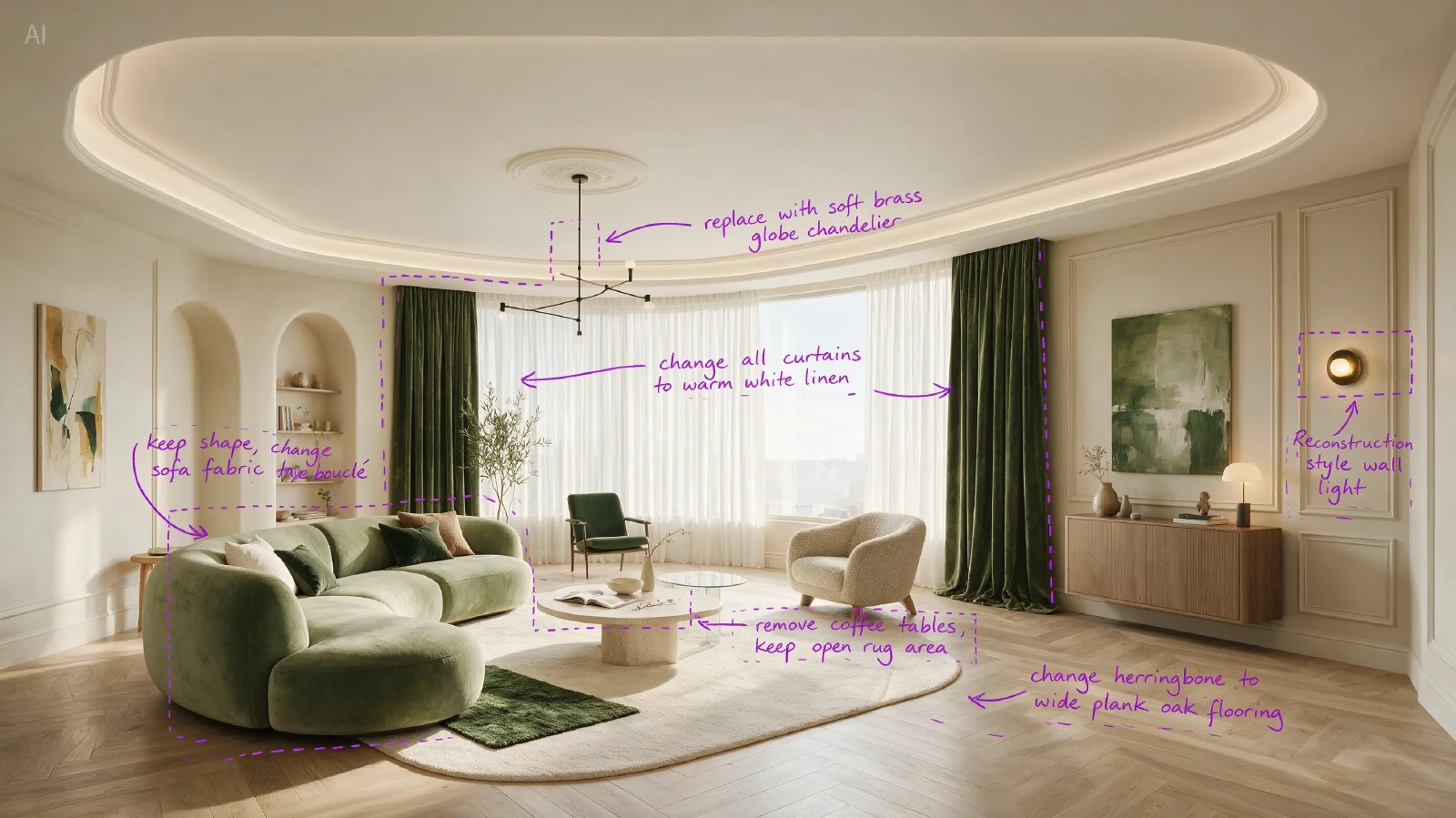
Freeform Markup Interior Edit
An interactive editing example where handwritten markup and anchor boxes guide a warmer, lighter living room transformation.
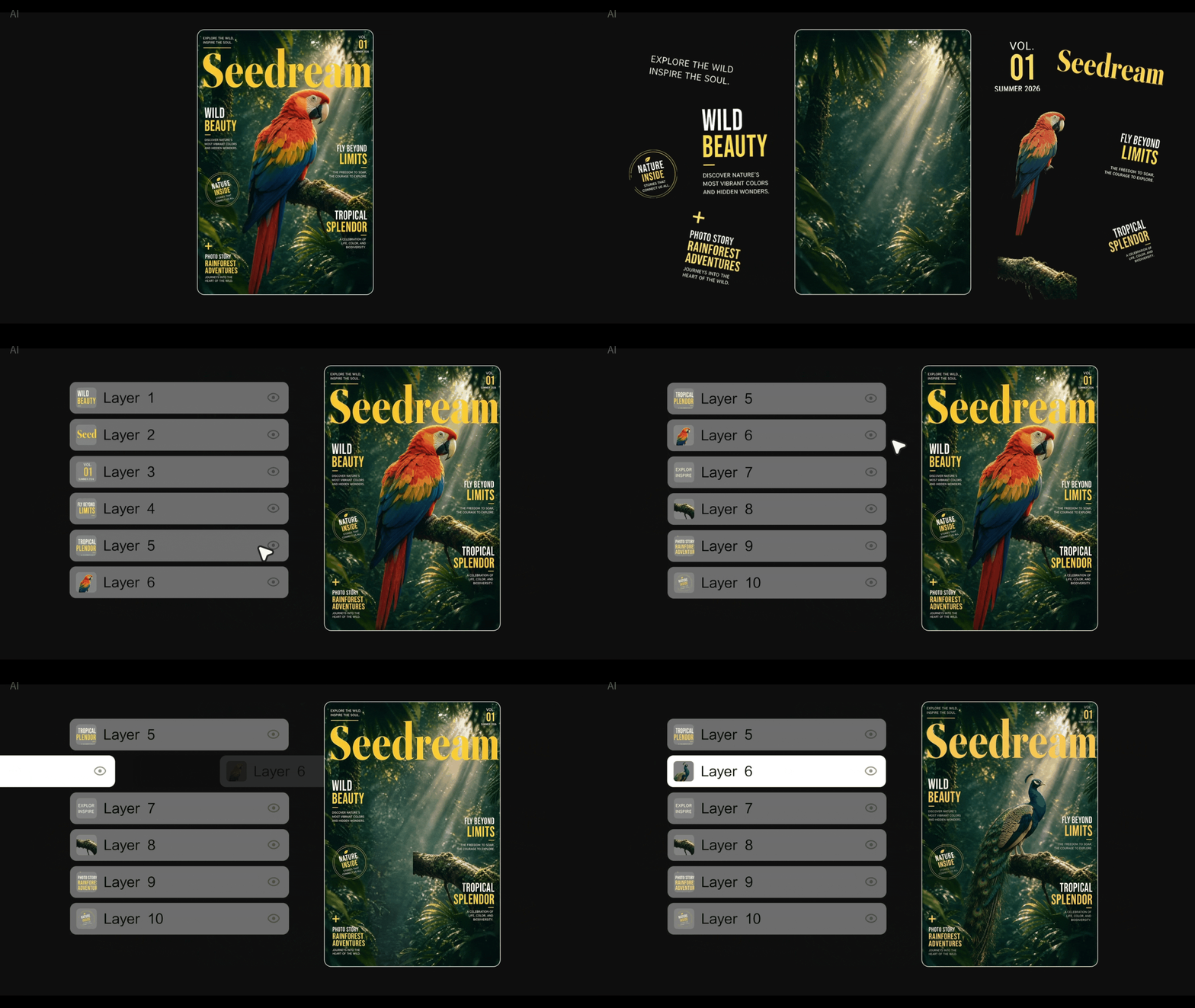
Layer Separation Demo
Official animated example demonstrating layer-aware design editing and separation for more flexible creative workflows.
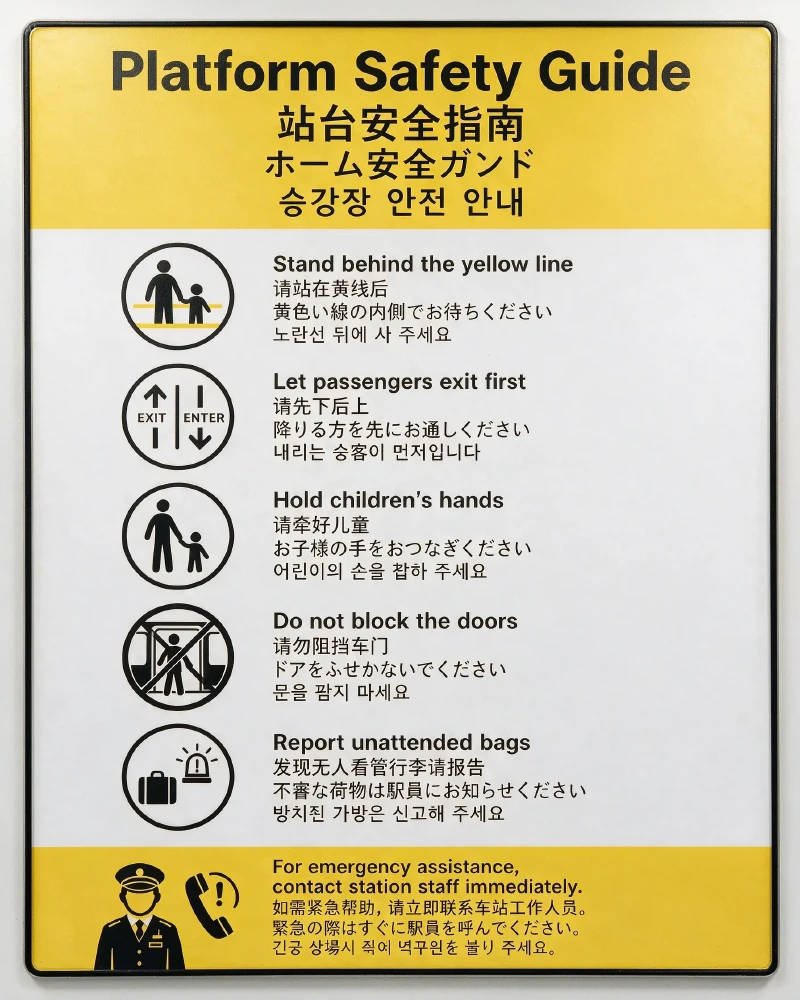
Multilingual Safety Poster
A native multilingual poster example with public-transit visual language and side-by-side English, Chinese, Japanese, and Korean text.
Seedream 5.0 Pro Parameters
The key limits and pricing behavior CreatOK exposes for stable production use.
Seedream 5.0 Pro vs Seedream 5.0 Lite
Choose Lite for fast low-cost generation, or Pro when references, fidelity, and commercial detail matter.
How to Get Better Results with Seedream 5.0 Pro
Use clear references and explicit edit instructions to get consistent, usable outputs.
Two Practical Modes
Reference-driven editing
Upload source and target references, then describe exactly what should transfer or change.
Use image 1 as the model identity. Replace the outfit with image 2. Keep the pose, lighting, and face consistent.Best for fashion, product swaps, and localized campaign variants.
Prompt-first generation
Start from a text prompt when the concept matters more than preserving an exact source image.
A premium product launch poster for a smart speaker, teal and silver palette, dramatic reflections, clean headline space, cinematic 2K commercial render.Best for original campaign concepts and fast creative exploration.
Best Practices
- Put the most important reference image first.
- Describe what must stay unchanged before describing what should change.
- Use 1K for exploration and 2K for final campaign assets.
- Avoid mixing unrelated references unless the output should be a collage or fusion.
- For product work, mention material, lighting, label clarity, and camera angle.
Prompt Tips
- Use concrete nouns instead of vague style words.
- Name the output format: poster, product shot, catalog image, thumbnail, or editorial photo.
- For multiple references, number them in your prompt: image 1, image 2, image 3.
- Ask for clean background and readable space when planning ads or thumbnails.
Seedream 5.0 Pro Prompt Templates
Copy these starting points and adapt them to your product, model, or campaign.
Product Hero
A premium [product] hero image, clean studio setup, realistic material texture, soft teal rim light, sharp label text, subtle reflection, commercial photography, 2KWhy it works
Defines subject, lighting, material, and commercial output clearly.
Outfit Replacement
Use image 1 as the person reference. Replace the outfit with the clothing from image 2. Keep face identity, body pose, lighting direction, and realistic fabric folds.Why it works
Separates identity preservation from the edit target.
Campaign Poster
Create a bold launch poster for [brand/product], cinematic wide-angle perspective, high contrast color layers, clean headline area, realistic reflections, premium ad designWhy it works
Leaves room for copy while asking for strong campaign composition.
Catalog Bundle
Combine the reference products into one coherent catalog image, equal visual hierarchy, matching perspective, white background, soft shadows, crisp edges, e-commerce readyWhy it works
Useful for bundles, cross-sell images, and marketplace listings.
Seedream 5.0 Pro FAQ
What is Seedream 5.0 Pro?
Seedream 5.0 Pro is ByteDance's Pro image generation model available through Volcengine Ark. CreatOK exposes it for text-to-image and reference-image editing workflows.
How many reference images does Seedream 5.0 Pro support?
CreatOK allows up to 10 reference images for Seedream 5.0 Pro.
How are Seedream 5.0 Pro credits calculated?
CreatOK charges 2 credits for 1K output and 3 credits for 2K output. Reference images follow GPT Image 2 logic: every 2 references add 1 credit.
Does Seedream 5.0 Pro support custom sizes?
Not on CreatOK right now. Only 1K and 2K are exposed to avoid pixel-threshold billing surprises.
When should I use Pro instead of Lite?
Use Pro when you need stronger reference consistency, richer details, multi-image editing, or final campaign assets. Use Lite for quick drafts.
Can I use the outputs commercially?
CreatOK is designed for creator and commercial workflows. Always review your own rights for uploaded references, brands, faces, and marketplace requirements.
Explore More AI Tools on CreatOK