Free GPT Image 2 Image Generator
GPT-Image-2 is OpenAI's most advanced AI image generation model, released April 2026. Native transparency (Alpha Channel), best-in-class text rendering in 48+ languages, photorealistic portrait synthesis, and precise instruction following — the go-to image AI for professional designers and creators.
Model
Upload reference images
JPG, JPEG, PNG or WEBP up to 10 MB
Sign in to start generating. Free monthly quota included.
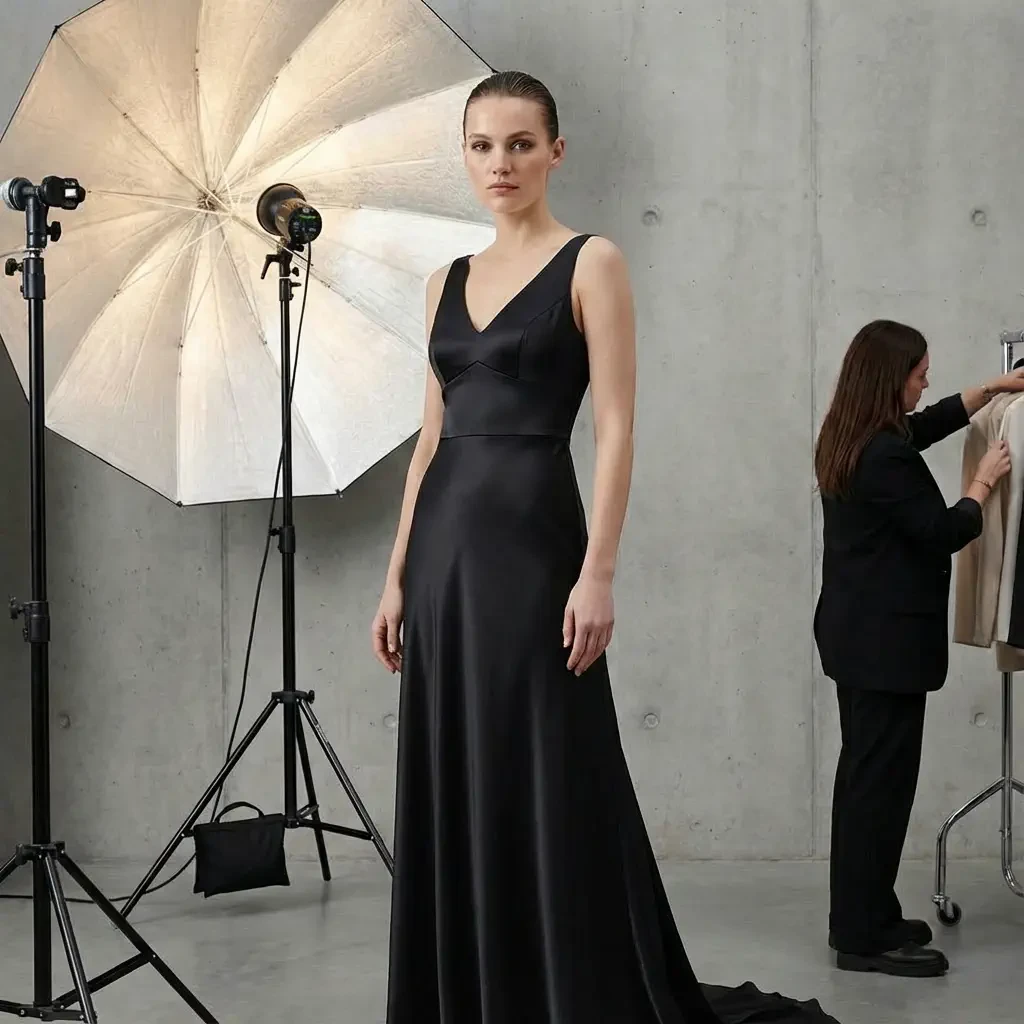
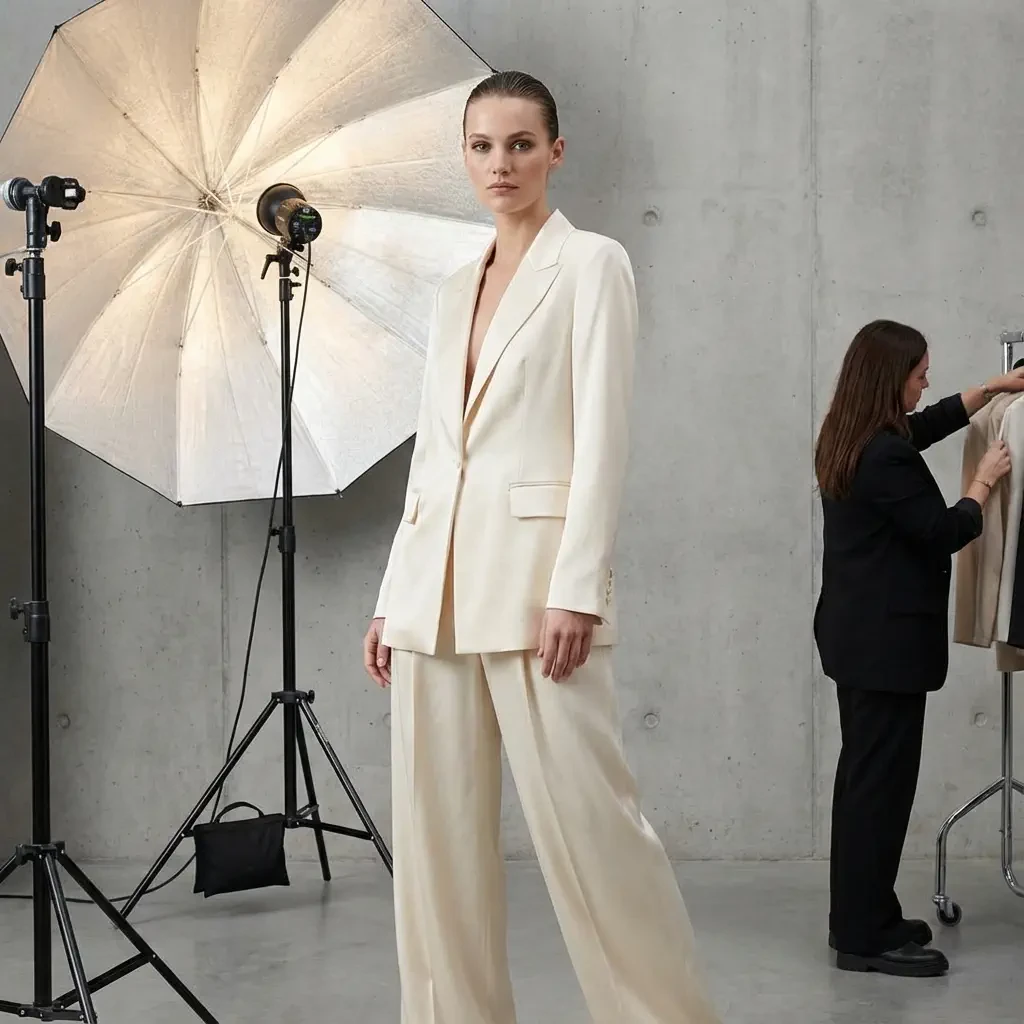
6 Breakthroughs of GPT-Image-2
Six core capabilities that redefine the professional ceiling of AI image generation.
Native Transparency (Alpha Channel)
The first top-tier AI image model to natively support transparent background output. Directly generates design-ready PNG transparent assets — no manual background removal needed.
Product hero images, logo design, brand materials, web design elements, compositing assets.
Best-in-Class Text Rendering
Text within images is sharp, accurate, and distortion-free. Supports bilingual layouts, multiple font styles. Completely eliminates the garbled text problem in AI images.
Poster design, social media covers, product packaging, ad creatives, e-commerce hero images.
Photorealistic Portrait Synthesis
Skin texture, light reflection, and hair detail achieve photography-level realism. Natural expressions, cross-image consistency, precise age and appearance control.
Portrait photography alternatives, virtual models, brand ambassador images, educational materials.
Precise Instruction Following
Understands complex composition instructions, lighting descriptions, style requirements, and spatial relationships. Achieve expected results in one shot, dramatically reducing revision cycles.
Professional design outsourcing, ad creatives, content marketing, social media management.
Multi-Turn Image Editing (Inpainting)
Upload an existing image, specify a region to edit while maintaining overall style consistency. Supports background replacement, object removal, detail enhancement, and other professional editing operations.
Product image optimization, scene compositing, photo restoration, e-commerce image refinement.
Cross-Image Character Consistency
The same character maintains a recognizable appearance, outfit, and personality across multiple images. Ideal for series content requiring repeated character use — no reference image calibration needed.
Brand image series, visual storytelling, character IP, instructor multi-scene portraits.
GPT-Image-2 in Action
From brand e-commerce to manga-style art, GPT-Image-2 renders 48+ languages with pixel-perfect accuracy.
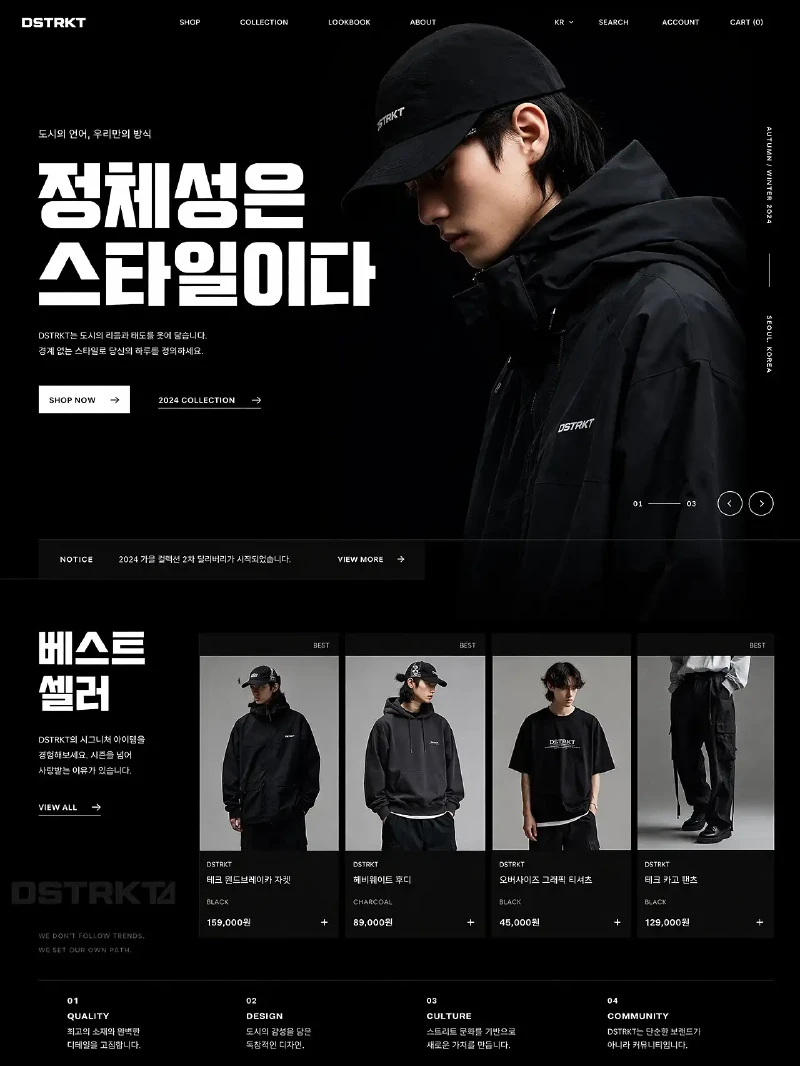
Brand E-Commerce Website
Full Korean streetwear brand homepage mockup — fashion model, product grid, bold Korean headline typography — ready to deliver in a single generation
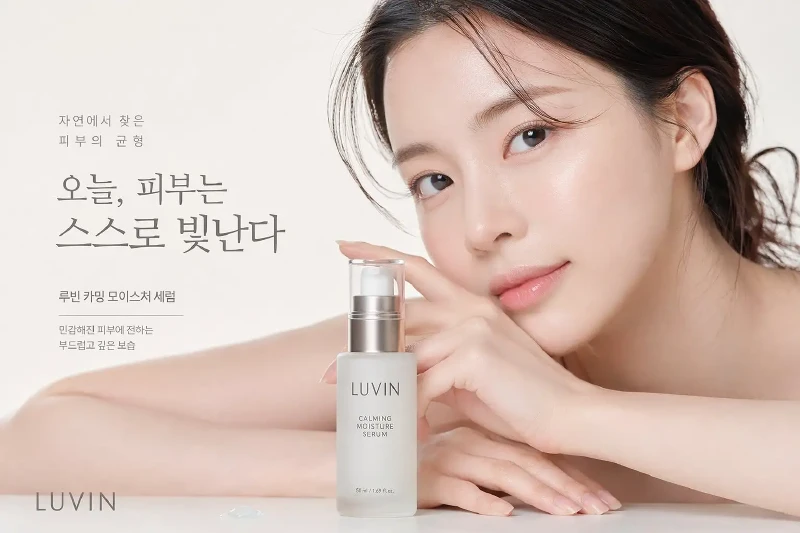
Beauty & Skincare Campaign
LUVIN serum campaign — photorealistic Korean beauty model with dewy skin, precise product label text, commercial studio quality output
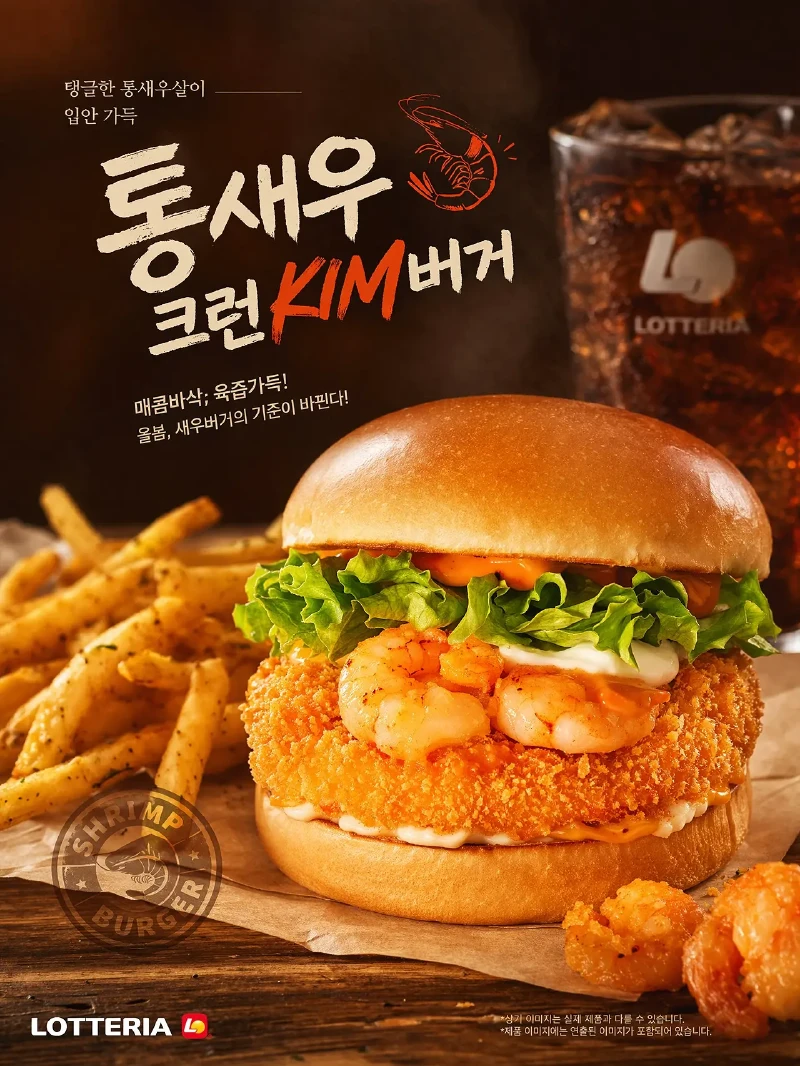
Food Advertising Poster
LOTTERIA shrimp burger ad — hyper-realistic food photography, bold Korean headline, warm orange-brown tones, print-ready commercial styling
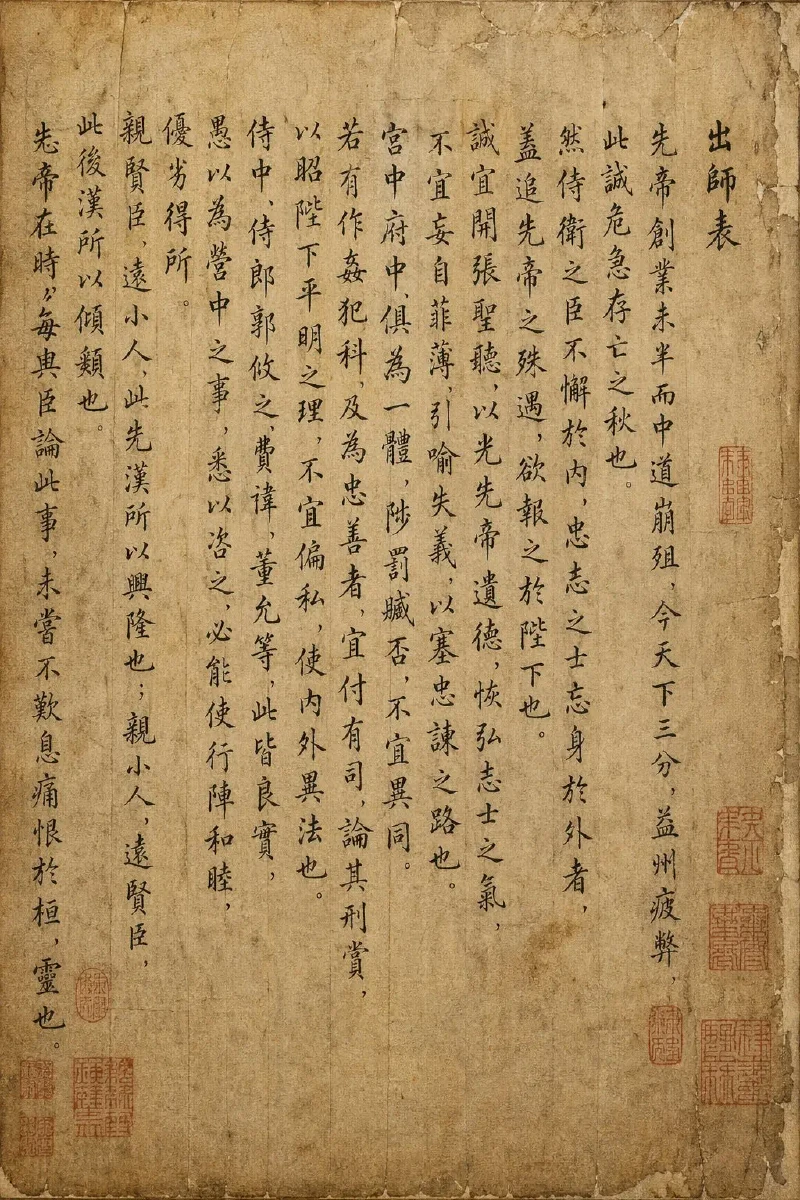
Chinese Classical Manuscript
Zhuge Liang's 'Memorial on the Dispatch of Troops' — traditional vertical calligraphy, aged xuan paper, red seal stamps — every brushstroke detail rendered with precision
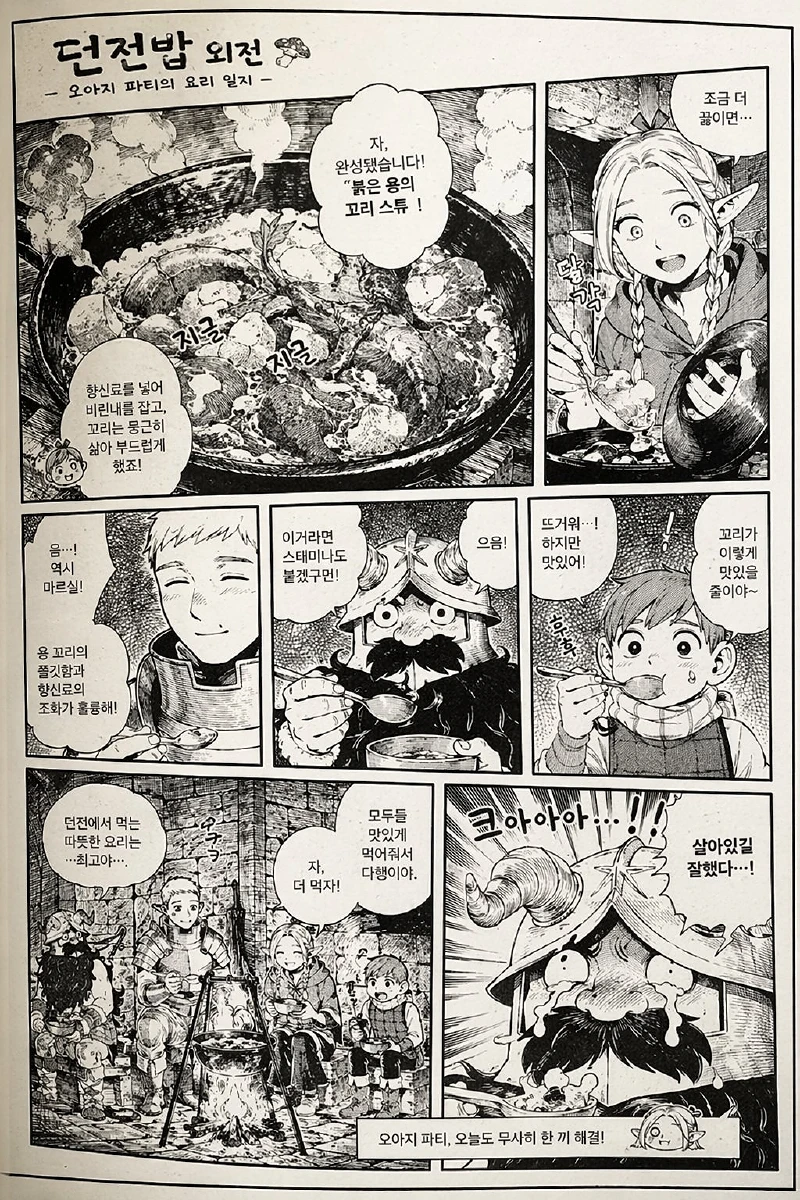
Manga-Style Comic Page
Korean manga multi-panel page with fantasy cooking scene, Korean dialogue balloons, screentone shading — style accuracy is exceptional
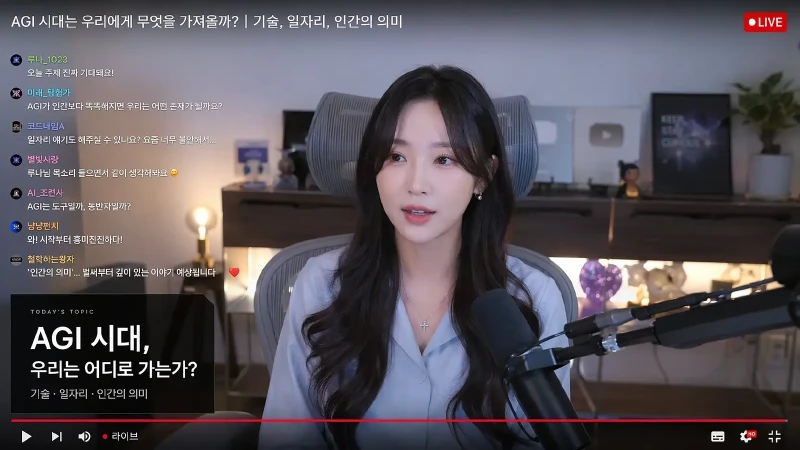
Livestream Scene Generation
YouTube livestream screenshot — female creator on camera, Korean live chat overlay, red LIVE badge, microphone setup — all rendered with precision
GPT-Image-2 Technical Parameters
Understanding these parameters helps you plan image creation projects more efficiently.
GPT-Image-2 vs DALL-E 3: Capability Comparison
GPT-Image-2 vs DALL-E 3 — compared on text rendering, realism, scene understanding, and commercial usability.
How to Edit Existing Images with GPT-Image-2
GPT-Image-2 doesn't just generate from scratch — it can precisely modify existing images, keeping the subject and only changing what you want.
Two Editing Modes
Local Editing (Inpainting)
Upload image + mask to precisely modify a specified region
Keep the foreground person completely unchanged, replace the background with a modern office scene, match the light direction from the original, natural edge blendingPrecise control over edit range, natural subject-background blending, ideal for product refinement and scene replacement
Full Style Transfer
Upload reference image, describe target style, regenerate entire image
Referencing the uploaded product photo, transfer the overall style to Japanese minimalist, white background, soft natural light, preserve product shape and colorQuickly achieve a unified brand visual style, ideal for batch processing brand materials
Image Editing Best Practices
- Extend the mask edge 10–20% beyond the target area to ensure natural edge transitions
- Explicitly state 'keep [subject] unchanged, modify [area]' in your prompt
- Match the lighting direction to the original image to avoid lighting conflicts
- For transparent background output, add 'transparent background' to the prompt
- For text editing, write the target text content directly in the prompt
Transparency Tips
- Add 'transparent background, PNG' at the end of the prompt to trigger transparent output
- For product hero images, use 1:1 ratio + transparent background for maximum versatility
- Use HD mode for design elements to get sharper details
- When layering multiple transparent assets, ensure consistent light direction
GPT-Image-2 Prompt Best Practices
Master these templates for more precise and professional image generation.
Product Transparent Background Template
[product name], [angle description], white/transparent background, professional product photography, soft diffused light, subtle shadows, ultra-high-definition detail, no branding, PNG formatWhy it works: Explicit transparency requirement + professional lighting description, avoids complex backgrounds
Use case: E-commerce hero images, product catalogs, design assets
Text Poster Template
[style] style poster, bold centered headline '[main title]' [font style], subtitle '[subtitle]' in white, [background color/gradient], [decorative elements], [overall tone], clean layout, clear readable textWhy it works: Explicit bilingual content + font style description allows GPT-Image-2 to render accurately
Use case: Event posters, social media covers, marketing materials
Virtual Portrait Template
[gender/age] person, [appearance features], [outfit description], [shooting scene/background], [lighting description] (e.g., soft window light / professional studio lighting), natural gaze, detailed skin texture, photorealistic styleWhy it works: Layered description — appearance → outfit → scene → lighting — helps AI allocate detail weights accurately
Use case: Virtual models, brand ambassadors, course instructor images
Local Image Editing Template
Keep [preserved area] completely unchanged, replace [modified area] with [target description], match light direction from original, natural edge transitions, unified overall styleWhy it works: Clear 'preserve' vs 'modify' boundaries let AI precisely understand the edit scope
Use case: Product image refinement, background replacement, scene compositing
GPT-Image-2 Frequently Asked Questions
What is GPT-Image-2?
GPT-Image-2 is OpenAI's most advanced AI image generation model, released in April 2026. It natively outputs transparent PNG images (Alpha Channel), renders pixel-perfect text in 48+ languages, produces photorealistic portraits, and supports multi-turn image editing (inpainting). It is a major upgrade over DALL-E 3, offering significantly higher commercial image quality and more precise instruction following.
How does GPT-Image-2 compare to DALL-E 3 and Midjourney?
GPT-Image-2 outperforms DALL-E 3 on text rendering accuracy, photorealistic portrait quality, scene understanding, and character consistency. Compared to Midjourney, GPT-Image-2 offers native transparent background output, longer prompts (up to 5,000 characters), built-in image editing (inpainting/outpainting), and superior multilingual text rendering — making it the stronger choice for commercial and e-commerce use cases.
Is GPT-Image-2 free to use?
Yes. You can try GPT-Image-2 on CreatOK without an API key or OpenAI account. CreatOK is a simple way to access GPT-Image-2 online without technical setup.
What aspect ratios and resolutions does GPT-Image-2 support?
Supports 9 aspect ratios: 16:9, 5:4, 4:3, 3:2, 1:1, 2:3, 3:4, 4:5, 9:16 — covering all landscape and portrait scenarios. Resolution comes in three tiers: 1K, 2K, and 4K (up to 4096×4096), suitable for everything from social media to professional print.
How do I use GPT-Image-2 for image editing?
GPT-Image-2 supports two editing modes: (1) Inpainting — upload an image and mask to precisely modify a specific region while keeping the rest unchanged; (2) Full style transfer — upload a reference image and describe the target style to regenerate the entire image. Ideal for product image refinement, background replacement, and brand material batch processing.
What commercial scenarios is GPT-Image-2 best for?
Best suited for: (1) Ad and social media creatives — accurate text rendering, strong visual quality; (2) Product marketing and e-commerce — realistic materials, transparent backgrounds, and scene compositing; (3) Event posters and menus — readable multilingual text in multiple ratios; (4) Character series and visual storytelling — cross-image character consistency.
Explore More AI Tools on CreatOK