3 Ways AI Video Generator Makes Videos Easy

Creating videos used to feel overwhelming, right? Now, you can jump in without fancy cameras or editing skills. With an AI Video Generator, you just type what you want to see, and the tool handles the rest. In fact, 63% of video marketers already use AI tools to make things easier.
Anyone can create videos, from quick social posts to detailed explainers
Popular platforms like Kling AI and Luma Dream Machine offer options for every need
AI video generators open the door for everyone to share their stories.
Key Takeaways
AI video generators simplify video creation. You can turn ideas into videos without needing fancy equipment or editing skills.
Automation saves time. These tools write scripts, create storyboards, and edit videos quickly, allowing you to focus on your message.
User-friendly interfaces make video creation accessible. Drag-and-drop features and templates guide you through the process, even if you're a beginner.
Fast production means you can create multiple videos in a short time. This helps you keep your content fresh and reach your audience quickly.
Consistent quality across projects is guaranteed. AI tools maintain your brand's style, ensuring every video looks professional.
1. AI Video Generator Automation

Script And Storyboard Creation
You no longer need to spend hours writing scripts or sketching storyboards. With an AI Video Generator, you just type your idea, and the tool does the heavy lifting. It can turn your text into a full script and even create a visual plan for your video. This means you can go from idea to storyboard in minutes, not days. Tools like Canva, Invideo AI, and CapCut make this process smooth. They use smart technology to match your script with the right images, scenes, and even voiceovers. You get a professional-looking plan without the stress.
Tip: AI video generators help you keep your videos on brand by making sure every scene matches your message.
Auto Scene And Edit
Editing can feel like a puzzle, but AI video generators solve it for you. These tools break your script into scenes, add transitions, and even sync audio—all automatically. You can see quick previews and make changes on the fly. Here’s a look at some of the top automation features:
Feature | Description |
|---|---|
Creates videos from your text prompts. | |
Script writing | Writes scripts for you, saving time. |
Voiceovers | Adds voices to your video for more engagement. |
Media matching | Picks the best images and clips for your story. |
Quick editing | Lets you adjust and share videos fast. |
Customization options | Offers ways to tweak your video, though some limits may apply. |
You can use these features for social media, e-learning, marketing, or even news updates.
Less Manual Work
AI Video Generator tools cut down on the boring stuff. You don’t need to know fancy editing tricks or spend hours fixing small mistakes. The software handles repetitive tasks, so you can focus on your story. You can make several versions of a video in minutes, not hours. This saves you money, too. For example, a one-minute product video that used to cost thousands now costs just a few dollars.
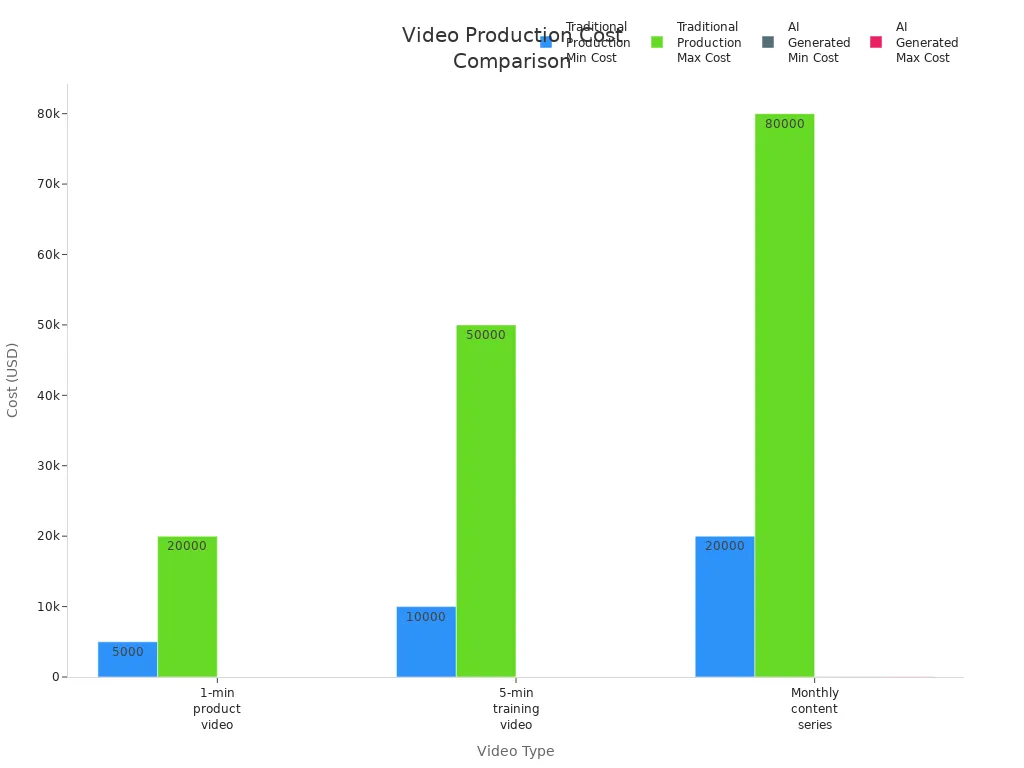
With less manual work, you can create more videos, try new ideas, and keep your content fresh.
2. User-Friendly Video Tools
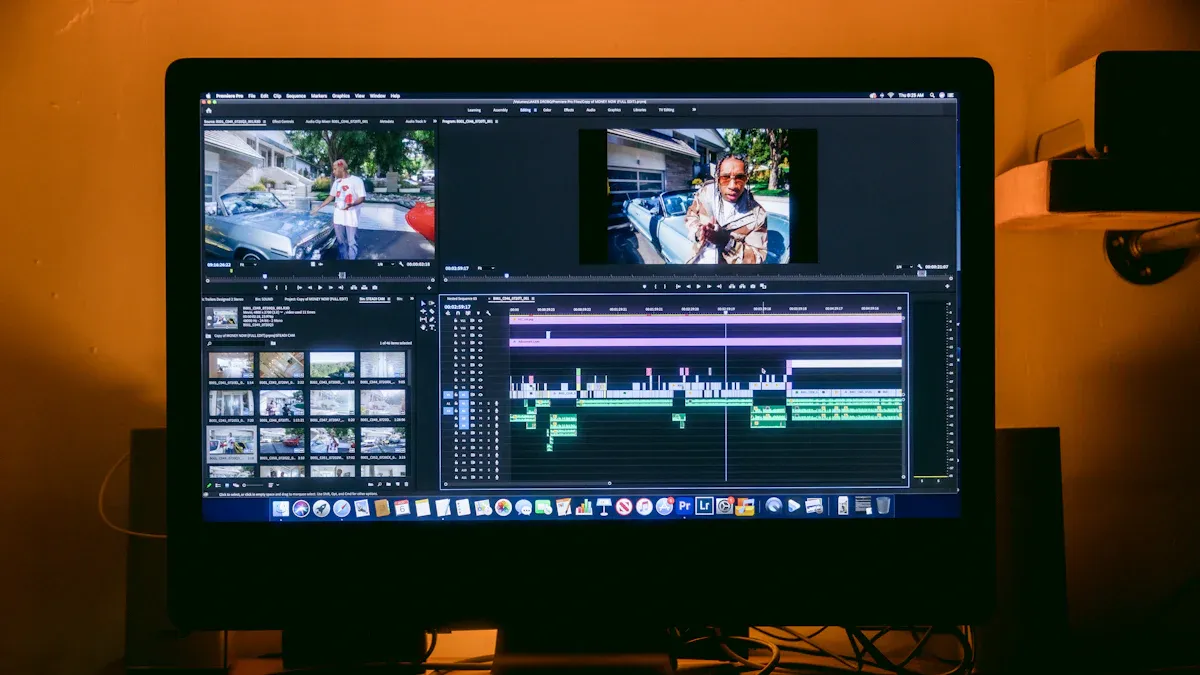
Creating videos should feel fun, not frustrating. Today’s AI video tools put you in control, even if you’ve never edited a video before. Let’s look at how these tools make video creation easy for everyone.
Drag-And-Drop Interface
You don’t need to memorize buttons or menus. With a drag-and-drop interface, you just move things where you want them. This simple setup helps you focus on your story, not the software. Here’s why it works so well:
You can build your video by dragging images, clips, or text onto the timeline.
The interface gives you feedback, so you know when things are in the right place.
It’s easy for people with different abilities to use, including those who prefer touch screens.
Tip: If you’ve ever made a slideshow, you can use an AI Video Generator with drag-and-drop features.
Templates And Guided Steps
Not sure where to start? Templates and guided steps show you the way. You pick a template, and the tool walks you through each part. You can choose from:
Quick start tutorials for beginners
Social media clips for fast sharing
Feature walkthroughs that explain how things work
Use case scenarios for different types of videos
Update and release videos for announcements
You can also find templates for product demos, comparisons, and more. Tools like Freepik and Luma AI give you access to huge libraries of images and even let you create custom visuals from text.
No Tech Skills Needed
You don’t need to be a tech expert. AI video tools handle the hard parts for you. Here’s what makes them so easy:
They turn your script into a video in minutes.
Text-to-speech creates voiceovers, so you don’t have to record your own.
Computer vision picks the best images and animations.
Deep learning adds realistic avatars and effects.
Check out this table to see how these tools compare to traditional editors:
Feature | AI Video Tools (e.g., Kapwing) | Traditional Editors (e.g., Premiere Pro) |
|---|---|---|
Intuitive Interface | Yes | Sometimes |
Quick Video Generation | Yes | No |
Accessibility | High | Medium |
Collaboration | Easy | Varies |
With these user-friendly features, anyone can create professional videos—no experience needed.
Consistent Quality
You want every video to look good. AI video tools keep your style and message the same across all your projects. They save your brand colors, fonts, and logos. You do not have to worry about mistakes or changes from one video to the next. Here’s a quick look at how AI video generators help with quality:
Feature | Description |
|---|---|
Reduced production time | Make videos fast, so you can update or fix them quickly. |
Lower production costs | No need for expensive software or experts. |
Accessibility for non-animators | Anyone can make videos, even without training. |
Rapid iteration capabilities | Test and change styles or messages easily. |
Scalability for content demands | Keep quality high, even with lots of videos. |
You get videos that look sharp and stay on brand, no matter how many you make.
You’ve seen how AI video generators help you make videos with less work, easy tools, and fast results. Here’s why you should give them a try:
You save time and money.
You don’t need special skills.
You can make lots of videos that look great.
The AI video market is growing fast. Experts say it could reach $847 million by 2026. Creative direction matters more than ever, so use AI to tell your story in a smart way. The future of video is open to everyone—why not start today?
FAQ
What is an AI video generator?
You use an AI video generator to make videos quickly. You type your idea or script. The tool creates scenes, adds images, and even voices. You get a finished video in minutes.
Do I need editing skills to use these tools?
No editing skills needed! You drag and drop, pick a template, and let the AI do the rest. The tools guide you step by step.
Can I use my own photos or clips?
Yes, you can! Most AI video generators let you upload your own images or video clips. You mix them with AI content for a personal touch.
How fast can I make a video?
You can finish a video in minutes. Some tools work almost instantly. Others take less than an hour. Traditional editing takes much longer.
Are AI video generators expensive?
Many tools offer free plans or low-cost options. You save money because you do not need fancy software or a big team. Check each tool for pricing details.
See Also
Steps To Craft Engaging AI Video Advertisements
Seedance 2: Effortlessly Create Stunning AI Videos In 2026
Best 10 Alternatives To Seedance 2 For AI Video Creation