Try for free with a product photo

AI product detail page generator

Upload product photos, add selling points, and create one vertical long-form ecommerce detail image with a hero, benefit sections, lifestyle proof, material close-ups, and a closing brand visual.

Single vertical long image
TikTok Shop, Amazon, Temu, eBay, AliExpress
Style reference and copy language controls
0/16

One complete vertical detail image

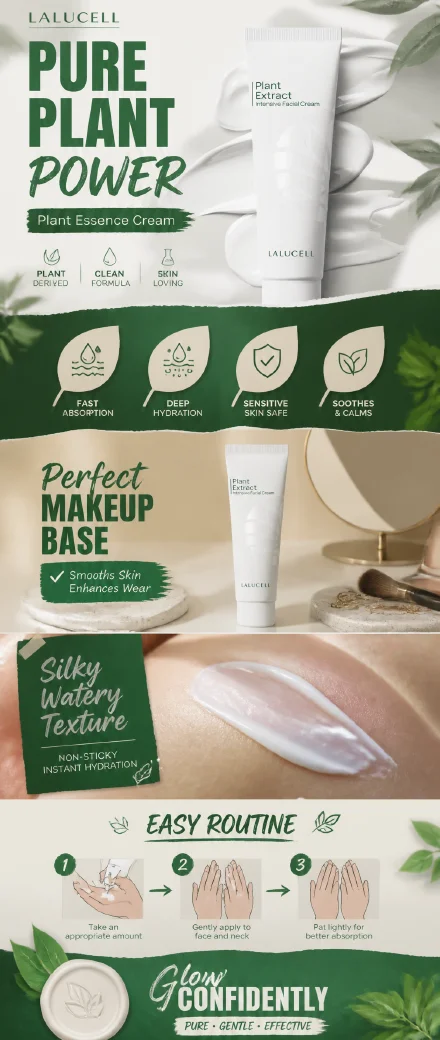
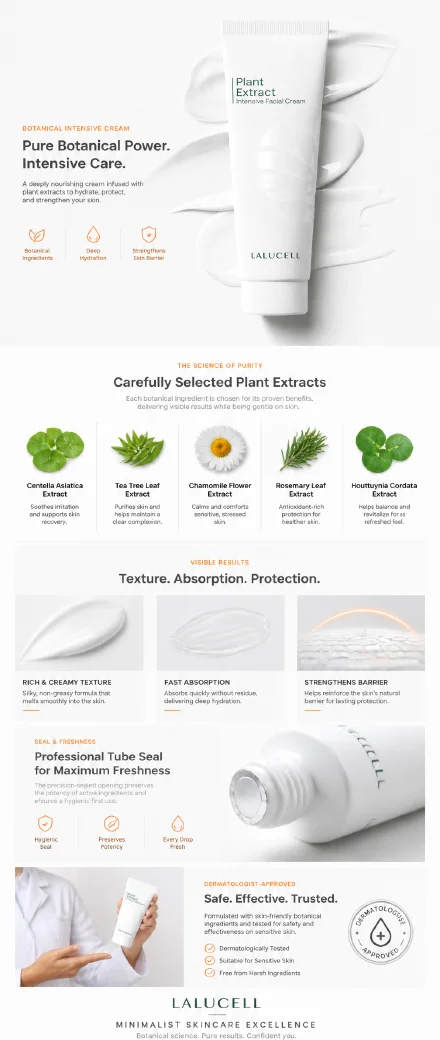
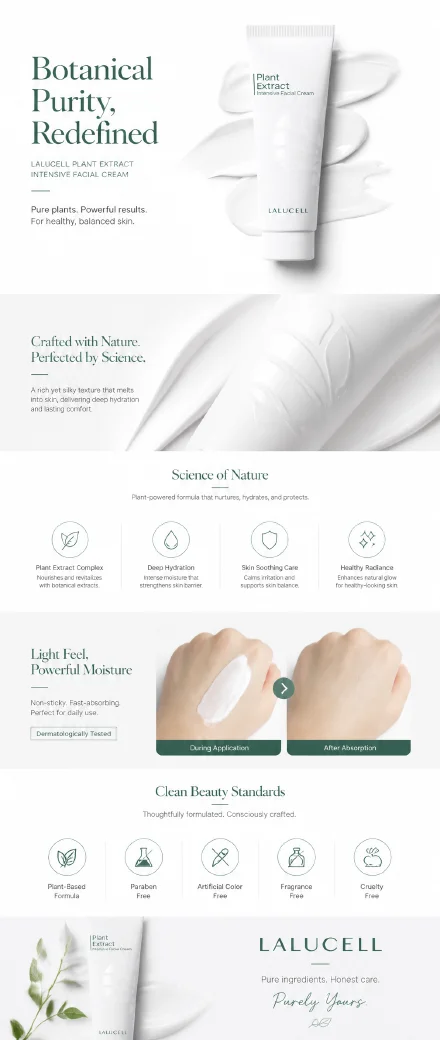
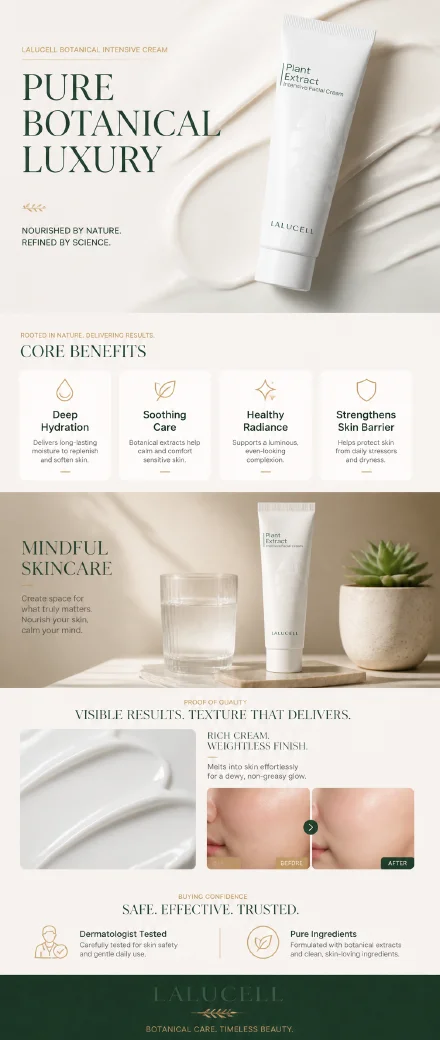
The app sample shows the actual output pattern: a single scroll-style product detail image with hero, benefits, ingredient or material proof, lifestyle context, and a closing value section.

01Plant story
AI ecommerce product detail page example with plant power sections
Plant story
02Ingredient proof
AI product detail page example with botanical ingredient proof
Ingredient proof
03Minimal skincare
AI product detail long image example for a minimal skincare layout
Minimal skincare
04Premium benefits
AI product detail page image example with premium benefit sections
Premium benefits
Starts from real product photos
Builds one vertical page image
Adds copy only when you choose it
Open the full detail page workspace

Use the full workspace for asset library images, AI selling point analysis, recommended or custom styles, previews, final generation, downloads, retries, and history.

Create product detail images for ecommerce pages

Use CreatOK when a product already has photos but still needs one clear, scroll-style visual that explains value, texture, usage, and buying confidence.

Marketplace detail pages

Create one long image for TikTok Shop, Amazon, Temu, eBay, AliExpress, or another marketplace detail area.

Independent store product pages

Turn product benefits, use cases, material details, and trust notes into a cohesive vertical page visual.

Product infographics

Explain ingredients, materials, size, usage, or before-and-after value without building a full image set.

Catalog refreshes

Reuse product photos, style references, and history when several SKUs need stronger detail-page visuals.

Generate an AI product detail page image in 3 steps

The workflow follows the real app: upload product photos, define selling context and style, preview creative directions, then generate the final long image.

  1. 01

    Upload product photos

    Add clear JPG, PNG, or WebP product images. Multiple photos help preserve shape, label, packaging, and material details.

  2. 02

    Add selling points and style direction

    Choose platform, market, copy language, selling points, and either an AI-recommended style or your own reference layout.

  3. 03

    Preview and generate the long image

    Review creative directions, then continue in the full workspace to generate, download, retry, and manage the finished detail image.

Controls built for one product detail page image

The landing panel keeps the first step light, while the full workspace supports the real detail-page workflow.

AI selling point analysis

The app can analyze uploaded product photos and help draft selling points before creating the page concept.

Recommended or custom style

Use AI-recommended ecommerce styles or upload style and layout references for a more specific brand direction.

Platform and language context

Choose selling channel, market, and copy language, or select no copy when the detail image should stay visual.

Preview, generate, retry, and history

The full workspace creates preview directions, generates the final image, and keeps downloads, retries, and recent work together.

AI product detail page generator questions

Practical answers before you upload a real product photo.

Can I use the AI product detail page generator for free?

You can start with a free trial. Some generation, asset library, preview, retry, and advanced workspace actions may require login or available plan quota.

Is this different from a product photo set generator?

Yes. This workflow creates one complete vertical product detail image. The product photo generator is better when you need multiple separate listing images.

Which platforms can I use it for?

The workspace includes TikTok Shop, Amazon, Temu, eBay, AliExpress, independent stores, and an Other option for additional ecommerce channels.

Can I control the copy language?

Yes. You can choose a copy language or select no added copy when you want the page to focus on product visuals, scenes, and materials.

What images should I upload?

Use clear product photos in JPG, PNG, or WebP. Photos that show packaging, label, texture, and real details help the generated page stay faithful to the product.

Are uploaded product photos private?

Uploaded images are used to process your requested results in your workspace. Avoid uploading products, logos, claims, or materials you do not have rights to use.

Ready to turn product photos into a detail page image?

Upload product photos, choose your marketplace context, and continue in the full workspace to preview, generate, download, retry, and manage the final long image.

Try for free