How to Use Seedance 2 for Social Media Videos Step by Step

You want to make standout social media videos. seedance 2 for social media videos makes this easy. You just upload your video, write a simple prompt, and let seedance 2.0 handle the rest. Many people love using seedance 2 for social media videos because it’s simple and fast. With a 98% user satisfaction rate, seedance 2.0 always delivers. This guide shows you how to get the best results with seedance 2 for social media videos. You get tips on uploading, writing prompts, and exporting your video. Try this guide and see how seedance 2 for social media videos can boost your content.
Key Takeaways
Seedance 2.0 makes making videos easier for social media. You upload your files. Write simple prompts. The software does the rest for you.
Use the multi-modal input system to mix images, videos, and audio. This helps you be creative. It makes your videos special.
Keep your videos short and clear. Try to make them less than 15 seconds. This grabs attention fast on social media.
Check your video for quality before you share it. Look at style, action, and lighting. Make sure it looks good to you.
Try different prompts and settings. Small changes can make your video better. Test new ideas to see what works best.
Why Use Seedance 2 for Social Media Videos

You want your videos to get noticed online. seedance 2.0 gives you tools to help your videos stand out. This platform makes video creation easier and more fun. You can mix images, videos, audio, and text in your project. Most editing software only lets you use text prompts. With seedance, you have more ways to be creative. You can make professional videos without being an expert. The software lets you use text-to-video and image-to-video workflows. You save time and work but still get cool results.
Key Features of Seedance 2.0
seedance 2.0 has many new features for making videos. You can use the multi-modal input system to add up to 9 images, 3 videos, 3 audio files, and text prompts. The @tag system helps you guide your video, not just give prompts. You can upload a reference video and copy its camera moves and effects. The platform keeps your video smooth with one-take continuity. Music beat synchronization makes your videos more fun to watch. Advanced motion generation makes your video look better. Camera moves like zoom and follow help your video stand out. These features can help people remember your video more than static visuals. The AI tools let you create multi-shot scenes, lip syncing, and better camera movement. Director Mode gives you control over how your video looks. You can make high-quality 1080p videos with great detail.
Tip: Try using the @tag system to guide your video for cool results.
Feature | Description |
|---|---|
Multi-Modal Input System | Lets you mix images, videos, audio, and text with @ references |
Input Variety | Allows up to 9 images, 3 videos, 3 audio files, and text prompts |
One-Take Continuity | Keeps editing smooth and your video in one take |
Music Beat Synchronization | Matches your video to music beats for a fun experience |
Reference Video Replication | Copies camera moves and effects from your uploaded reference video |
Supported Social Platforms
seedance 2.0 makes it simple to export your video for different social sites. You can pick the best format and resolution for each platform. Here’s a quick guide:
Platform | Aspect Ratio | Resolution |
|---|---|---|
TikTok | 9:16 | 1080×1920 |
9:16, 1:1 | 1080×1920, 1200×1200 | |
YouTube Shorts | 9:16 | 1080×1920 |
1:1 | 1200×1200 |
You can make vertical videos for TikTok and YouTube Shorts. Instagram lets you use vertical or square videos. LinkedIn likes square videos best. seedance 2.0 helps you match your video to each platform’s needs. This makes your videos look good and ready to share.
Step-by-Step: Creating with Seedance 2 for Social Media Videos
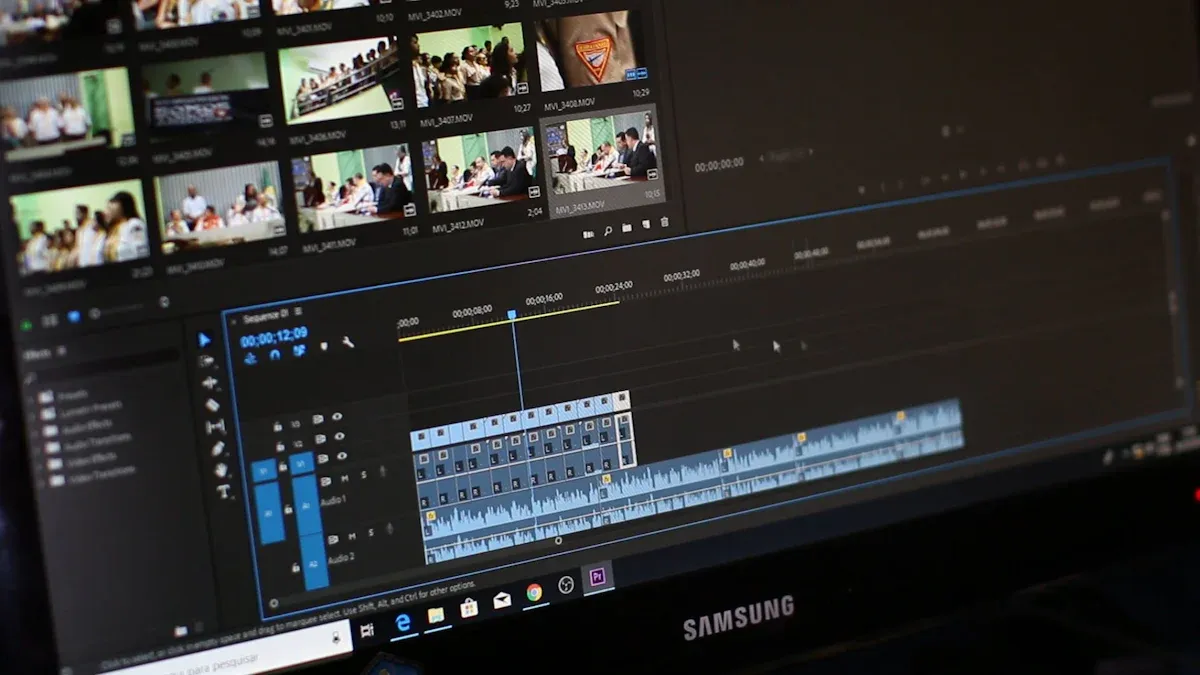
Are you ready to make great videos for your social media? Let’s go through each step with seedance 2.0. You will see that making videos can be simple if you follow this guide.
Accessing Seedance 2.0
You must get into seedance 2.0 before you start. Here is what you do:
Turn on a VPN and set your location to China or Hong Kong.
Visit the Jimeng or Xiaoyunque website.
Sign in with a Chinese phone number (+86).
Choose ‘Seedance 2.0’ or ‘Seedance 2.0 fast’. New users get free trial credits.
If you use all your credits, buy more with WeChat Pay.
Note: There is another way. You can set your VPN to Hong Kong, make a new Chrome profile, and use the Doubao website. You get a few credits there. After February 24, 2026, you can use the Cyberbara API for access anywhere.
Here is a quick chart for what you need on each platform:
Platform | Requirement |
|---|---|
Jimeng | Mainland China phone number (+86) |
Xiaoyunque | Mainland China phone number (+86) |
Doubao | Mainland China phone number (+86) |
Uploading Reference Materials
You can upload different files to seedance 2.0. This helps the video model know what you want. Here are the types you can use:
Images: JPG, JPEG, PNG, WEBP, BMP, TIFF, GIF (up to 30 MB each)
Videos: MP4, MOV (up to 50 MB each)
Audio: MP3, WAV (up to 15 MB each)
Good quality files are important. When you use clear files, you control things like how characters look, how they move, effects, and how sound matches the video. This makes your video look just how you want.
Tip: One strong file is better than five weak ones. Always use your best files.
Writing Clear Prompts
You need to tell the video model what you want. Clear prompts help seedance 2.0 make videos that match your ideas. Here are some good tips:
Best Practice | Description |
|---|---|
Clear Input Organization | Say your goal and keep files separate. |
Reference Hierarchy | Use main, second, and third files. |
Effective Prompts | Add actions, camera moves, and feelings. |
Iterative Refinement | Change things and make good clips longer. |
Audio Integration | Use timestamps and explain how sound should match. |
Start with 5-second test clips | Try short clips to improve your prompts. |
Change ONE variable at a time | Change one thing to find problems. |
Write like a director | Use clear steps, not long stories. |
The first instruction wins | The model follows the first strong rule. |
Run 3 seeds per setup | Check the middle result for best match. |
Use SVO sentence structure | This helps the model follow your prompt. |
Set Creativity slider to 0.5–0.7 | Keeps your files clear but adds some change. |
Clear and simple prompts help the AI know space, time, looks, and details. If your video is not good, check if your prompt is clear. The difference between a bad video and a great one is how you share your idea. If you cannot explain your idea well, the AI will make something wrong.
Tip: Start with a short clip. Change only one thing to see what works.
Optimizing Output Settings
You want your video to look good and fit the site. Here is how you set up seedance 2.0:
Keep your video under 15 seconds. Short videos are best for social media.
Show one main thing. Do not try to show too much.
Pick MP4 or MOV formats. These work everywhere.
Set the right size for your site. For TikTok and YouTube Shorts, use 1080×1920. For Instagram, use 1080×1920 or 1200×1200. LinkedIn likes 1200×1200.
Tip: Use the Creativity slider between 0.5 and 0.7. This keeps your files clear but adds some fun.
Generating and Reviewing Videos
Now you are ready to make your video. Click generate and let seedance 2.0 work. The model takes about 2 to 5 minutes. If your video is long or hard, it may take longer.
When your video is done, check it. Look for these things:
Style
Subject (type, quality, look)
Action
Background
Camera (focus, size, movement, view, angle, height, tricks)
Lighting (way, brightness, effect)
Color (shade, contrast, strength)
Space (layout, where camera and subject are)
Action is hard for the model, so check if it looks right. No video model is perfect, but seedance 2.0 gives you a good start.
Tip: Run three seeds for each setup. Pick the middle one for best results.
Exporting for Social Platforms
You want to share your video with others. seedance 2.0 lets you save your video as MP4 up to 2K size. Free users get a watermark, but paid users can download without it.
Export Format | Resolution | Watermark Policy |
|---|---|---|
MP4 | Up to 2K | Free-tier includes watermark; paid subscribers can download without watermark |
Pick the right format and size for your site. Your videos will look sharp and ready to post.
Tip: Always check your video before you upload. Make sure it fits the site’s rules.
Now you know how to use seedance 2.0 to make videos from start to finish. Try these steps and see how the video model helps you make cool content.
Pro Tips for Better Seedance Social Videos
Lighting and Composition
You want your seedance 2.0 video to stand out online. Good lighting and smart setup help a lot. When you plan your scene, look at where shadows go and how bright spots show up. This makes your video look real and keeps people watching. You also decide where characters stand and how deep the scene looks. Here’s a quick look:
Feature | Description |
|---|---|
Lighting behavior | Shadows look natural and highlights are real, making your video better. |
Scene composition | You place characters and set depth to make your video interesting. |
Don’t forget to avoid easy mistakes. Never use celebrity faces or copyrighted characters if you don’t have permission. Always check the rules for each platform before you post. You are responsible for your content, even if seedance 2.0 helps you make it.
Making celebrity faces without permission can cause legal problems.
Using copyrighted characters can get your video removed or cause legal trouble.
Not following platform rules can get your account suspended.
Thinking AI content is always safe is wrong. You must check.
Using only one model can hurt your work if rules change.
Camera Movement and Pacing
Seedance 2.0 lets you add camera moves to your video. Try zooms and pans to keep things fun. The first three seconds are important—catch attention fast or people will scroll away. Keeping characters steady in videos under 60 seconds can help viewers stay by 30%. Try these pacing tricks:
Technique | Description |
|---|---|
Reference Image Usage | Upload images to keep character style the same. |
Character Reference Stacking | Use different angles to keep characters clear when they move. |
Short Narrative Clips | Use 8-10 second clips for strong feelings. |
Structured Prompts | Organize prompts as Subject → Action → Camera → Style → References for focus. |
Trend Replication | Watch viral videos and copy their pacing and style for your own posts. |
Visual Consistency and Branding
You want your seedance 2.0 videos to look like they match. Keep your characters and style steady in all your videos. Use images, motion clips, and audio to connect everything. Multi-shot stories help your brand shine in every video. Here’s what to focus on:
Feature | Description |
|---|---|
Consistent Character Appearance | Keeps characters looking the same in every shot. |
Multi-shot Storytelling | Makes sure your style and story stay strong from start to finish. |
Control Over Inputs | Mix images, videos, and audio for a unified look. |
Branding is important too. Add fast motion, live feel, and cool VFX for big impact. Use creative changes and keep your style steady to make your seedance 2.0 videos stand out online. These steps help you make viral videos people remember.
You now know how to use seedance 2.0 for social media videos. First, upload your files to the platform. Next, write clear prompts so the model understands you. Then, set up your video and let seedance 2.0 make it. After that, check your video to see if you like it. When you are happy, export it for the site you want. seedance 2.0 lets you make ads and posts much faster and for less money. Here are some main benefits:
Key Benefit | Description |
|---|---|
Cost Reduction | |
Faster Iteration | 10x quicker for real-time testing |
Creative Variations | Unlimited options without extra costs |
Brand Consistency | Perfect match across all video assets |
People say seedance 2.0 helps them keep viewers on their pages longer. It also helps get more likes and comments. You can test new ideas and see what works best. This helps you make better videos every time. Share your videos, listen to what people say, and use their advice to improve your next seedance 2.0 project.
FAQ
How long does it take to make a video with seedance?
You usually finish your video in two to five minutes. If your video is longer or has many effects, it might take a bit more time.
Can I use my own music in my video?
Yes, you can upload your own audio files. Seedance lets you add music to your video so you can match the mood and style you want.
What formats can I export my video in?
You can export your video as MP4 or MOV. These formats work well for TikTok, Instagram, YouTube Shorts, and LinkedIn.
Do I need a paid account to download videos without a watermark?
Free users get a watermark on their video. If you want to download your video without a watermark, you need a paid account.
Can I make videos for different social media platforms?
Yes, you can create a video for TikTok, Instagram, YouTube Shorts, or LinkedIn. Seedance helps you pick the right size and format for each platform.
See Also
Creating Videos from Text with Seedance 2.0 Made Easy
Utilizing Prompts Effectively in Seedance 2 for Best Results
Essential Insights on Seedance 2.0 for 2026 Users
Achieving Flawless Audio-Video Synchronization with Seedance 2.0
Seedance 2 AI: Simplifying Video Creation for Everyone in 2026