Best AI Generator for Marketing Content in 2026

What Actually Works in 2026
The best AI generator for marketing content is not the one that wins a demo reel. It is the one that helps a team produce usable assets faster: product images, short-form videos, TikTok hooks, ad copy, thumbnails, landing page visuals, and campaign variations. Marketers do not need another toy. They need a workflow that survives real deadlines, brand checks, and performance testing.
Quick Answer
For marketing teams, the strongest AI generator setup is usually not a single-purpose tool. It is a workflow that connects image generation, video generation, copywriting, and fast creative testing.
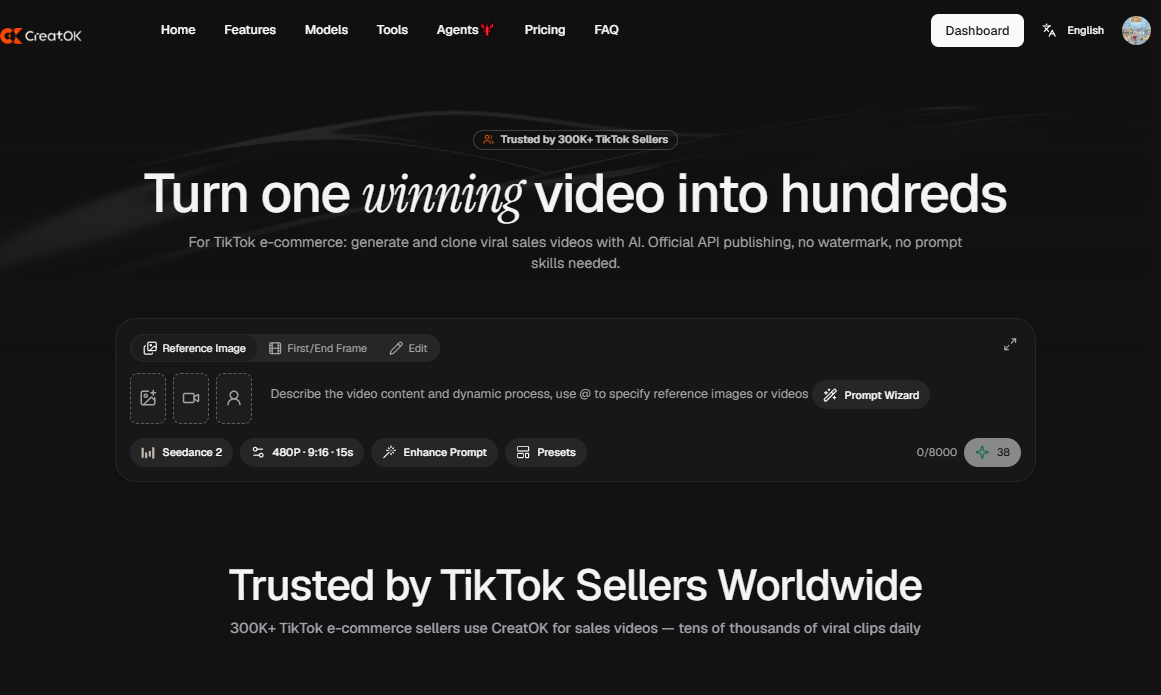
If your work is mainly blog copy, use a writing-focused AI tool. If your work is mainly polished visuals, use a specialist image generator. If you need product videos, TikTok creatives, e-commerce ads, and social content, use a multi-format platform such as CreatOK.ai and connect it with your testing workflow.
Useful internal link: best AI generator
Why Marketing Teams Need a Different Kind of AI Generator
Most “best AI generator” lists rank tools by output type: text, image, video, design, code, voice. That structure is useful for comparison, but marketing work rarely happens in one format.
A typical campaign needs:
Campaign Asset | Why It Matters |
|---|---|
Product image | Used for ads, thumbnails, PDPs, social posts |
Short video | Needed for TikTok, Reels, Shorts, paid social |
Hook copy | Decides whether users stop scrolling |
Caption | Supports organic reach and context |
Landing page visual | Reinforces the offer |
Variations | Needed for A/B testing |
CTA | Turns creative into action |
A marketer does not ask, “Which AI model is most impressive?” The better question is: “Which generator helps me create, revise, export, and test campaign assets without rebuilding the workflow every time?”
The Evaluation Framework
Before choosing any AI generator for marketing, test it against six criteria.
Criterion | What to Check |
|---|---|
Asset quality | Can the output be used with light editing? |
Format control | Does it support 9:16, 1:1, and 16:9? |
Product stability | Does the product keep its shape and color? |
Text handling | Can you add captions or avoid broken text? |
Speed | Can you produce several variations quickly? |
Commercial workflow | Can you export clean assets for campaigns? |
A tool that produces one beautiful sample but fails on product consistency is risky for marketing. A slightly less flashy tool that produces stable, repeatable assets may be more valuable.
Best AI Generator Types for Marketing Content
1. AI Image Generators for Product Visuals
AI image generators are useful for product mockups, background changes, ad concepts, social thumbnails, and campaign moodboards. They are often the first step in a marketing workflow because a strong still image can later become a video asset.
Use them for:
Use Case | Recommended Approach |
|---|---|
Product hero image | Start with a clean reference |
Social thumbnail | Use bold composition and simple background |
Ad concept | Generate multiple backgrounds |
E-commerce lifestyle shot | Keep the product scale realistic |
Image-to-video base | Choose the cleanest frame before animating |
Prompt example:
text
A compact skincare serum bottle on a warm beige stone surface, soft studio lighting, clean shadow, premium e-commerce product photography, centered composition, no extra text, keep the label clean and undistorted.
Useful internal link: AI Image Generator guide
2. AI Video Generators for Short-Form Ads
AI video generators are valuable for TikTok, Reels, Shorts, paid social, and product teasers. For marketing, the safest route is often image-to-video rather than pure text-to-video.
Text-to-video is good for concepts. Image-to-video is better when the product must remain accurate.
Need | Better Mode |
|---|---|
Product ad | Image-to-video |
TikTok hook | Text-to-video or image-to-video |
Lifestyle scene | Text-to-video |
Accurate logo/product | Image-to-video |
Fast creative testing | Short clips, not full videos |
Prompt example:
text
Animate this product image with a slow camera push-in, subtle studio reflections, clean background motion, keep the product shape, color, and label unchanged, vertical 9:16 format.
Useful internal links: AI video generator, make a video with AI
3. AI Copy Generators for Hooks and Ad Angles
AI writing tools can help with campaign structure, but they should not publish copy without human editing. Their strongest use is variation: hooks, product descriptions, ad angles, captions, and headline tests.
A practical prompt:
text
Write 12 TikTok hooks for a portable blender. Audience: busy office workers. Tone: direct, slightly skeptical, not overhyped. Avoid claims about health benefits. Each hook must be under 12 words.
Better output comes from constraints. Give the AI product, audience, objection, channel, and tone. Do not ask for “viral copy.” That usually produces soft, generic lines.
Recommended Workflow for Marketing Teams
Step 1: Start With the Offer
Before generating anything, write one sentence:
text
This product helps [audience] solve [problem] without [common frustration].
Example:
text
This portable blender helps office workers make quick smoothies without carrying a full-size blender or cleaning multiple parts.
This sentence keeps the creative focused.
Step 2: Create the Core Visual
Generate or upload a clean product image. Avoid clutter. If the product label matters, do not rely on the AI to invent it from scratch.
Step 3: Turn the Visual Into Motion
Use a short, controlled camera move. For product marketing, stable motion beats aggressive animation.
Safe movements:
Movement | Best For |
|---|---|
Slow zoom in | Product hero shots |
Pan left to right | Fashion, gadgets, home products |
Light reflection | Beauty and luxury items |
Static UGC frame | Creator-style review |
Simple reveal | TikTok hooks |
Step 4: Generate Hook Variations
Create hooks by angle, not by random wording.
Hook Type | Example |
|---|---|
Problem hook | “This fixes the messiest part of morning smoothies.” |
Comparison hook | “I tested this against my full-size blender.” |
Visual hook | “Watch how small this looks next to a laptop.” |
Objection hook | “Yes, it actually fits in a work bag.” |
Step 5: Build Three Versions
Do not create 20 random videos. Create three controlled versions.
Version | Change |
|---|---|
Version A | Problem hook |
Version B | Product close-up |
Version C | Lifestyle context |
This makes testing cleaner. If one version works, you know why.
Where CreatOK.ai Fits
CreatOK.ai is useful when the campaign needs more than one isolated generation. A marketer can move from product image to short video to TikTok-style creative without treating every asset as a separate project.
A lean CreatOK.ai workflow could look like this:
text
Product image → AI video generation → TikTok hook copy → caption → variation testing
This is especially useful for e-commerce sellers, TikTok Shop operators, affiliate marketers, and small teams that need repeatable content production.
Useful internal links:
Anchor Text | Target URL |
|---|---|
best AI generator | /blog/best-ai-generator |
AI video generator | /ai-video-generator |
AI Image Generator guide | /blog/ai-image-generator |
make a video with AI | /blog/make-a-video-ai |
make a video with AI from an image | /blog/make-a-video-with-ai-from-image |
best AI art generator app | /blog/best-ai-art-generator-app |
Common Mistakes When Choosing an AI Generator
Choosing by Demo Quality
Demo pages show selected wins. Your product, audience, and ad format may behave differently. Always test with your own assets.
Using Text-to-Video for Detailed Products
If the product has a label, logo, or precise shape, start from a reference image. Pure text-to-video often changes details.
Publishing Broken Text
AI-generated text inside images or videos can still fail. Add legal copy, prices, captions, and CTA text in editing.
Buying Too Many Separate Tools
A stack with one tool for images, one for video, one for scripts, one for captions, and one for resizing can slow small teams down. If your goal is fast campaign testing, workflow matters.
How This Child Page Should Support the Main Page
This article should link to /blog/best-ai-generator near the top with the anchor best AI generator. The main page should link back to this child page in a section such as “Best AI Generator by Use Case” with the anchor best AI generator for marketing content.
Recommended internal link placement on the main page:
text
If your goal is campaign production rather than general experimentation, read our guide to the best AI generator for marketing content.
Target link:
text
/blog/best-ai-generator-for-marketing-content
Final Verdict
The best AI generator for marketing content is the one that helps you produce assets that can be tested, revised, and published. Image quality matters. Video quality matters. But the winning factor is repeatability.
Use a specialist tool if you only need one asset type. Use a multi-format workflow if you create product visuals, TikTok videos, ad hooks, captions, and campaign variations every week. For e-commerce and short-form marketing, CreatOK.ai fits best when speed, image-to-video workflows, and repeatable creative testing matter more than one-off experimentation.
FAQ
What is the best AI generator for marketing content?
The best AI generator for marketing content depends on the workflow. For copy, use a writing assistant. For product visuals, use an AI image generator. For TikTok ads and product videos, use a video-focused or multi-format platform.
Is one AI generator enough for a marketing team?
Sometimes. If your team creates images, videos, captions, and campaign variations, a multi-format platform can reduce tool switching. If you only need one content type, a specialist tool may be better.
Should marketers use text-to-video or image-to-video?
Use text-to-video for ideas, scenes, and visual concepts. Use image-to-video when the product must stay accurate.
Can AI-generated videos be used for ads?
Yes, but review every output. Check product accuracy, claims, text, logos, faces, hands, and platform rules before publishing.
How can this page help the main Best AI Generator article rank higher?
It targets a narrower commercial intent, links back to the main pillar page, and builds topical depth around “best AI generator.” This helps the main page look less isolated and more authoritative.