Seedance 2 Review 2026

Seedance 2 Review 2026: Is Creatok’s AI Video Generator Worth It?
Seedance 2 is one of the most talked-about AI video generators of 2026, and for once the attention is not completely overblown.
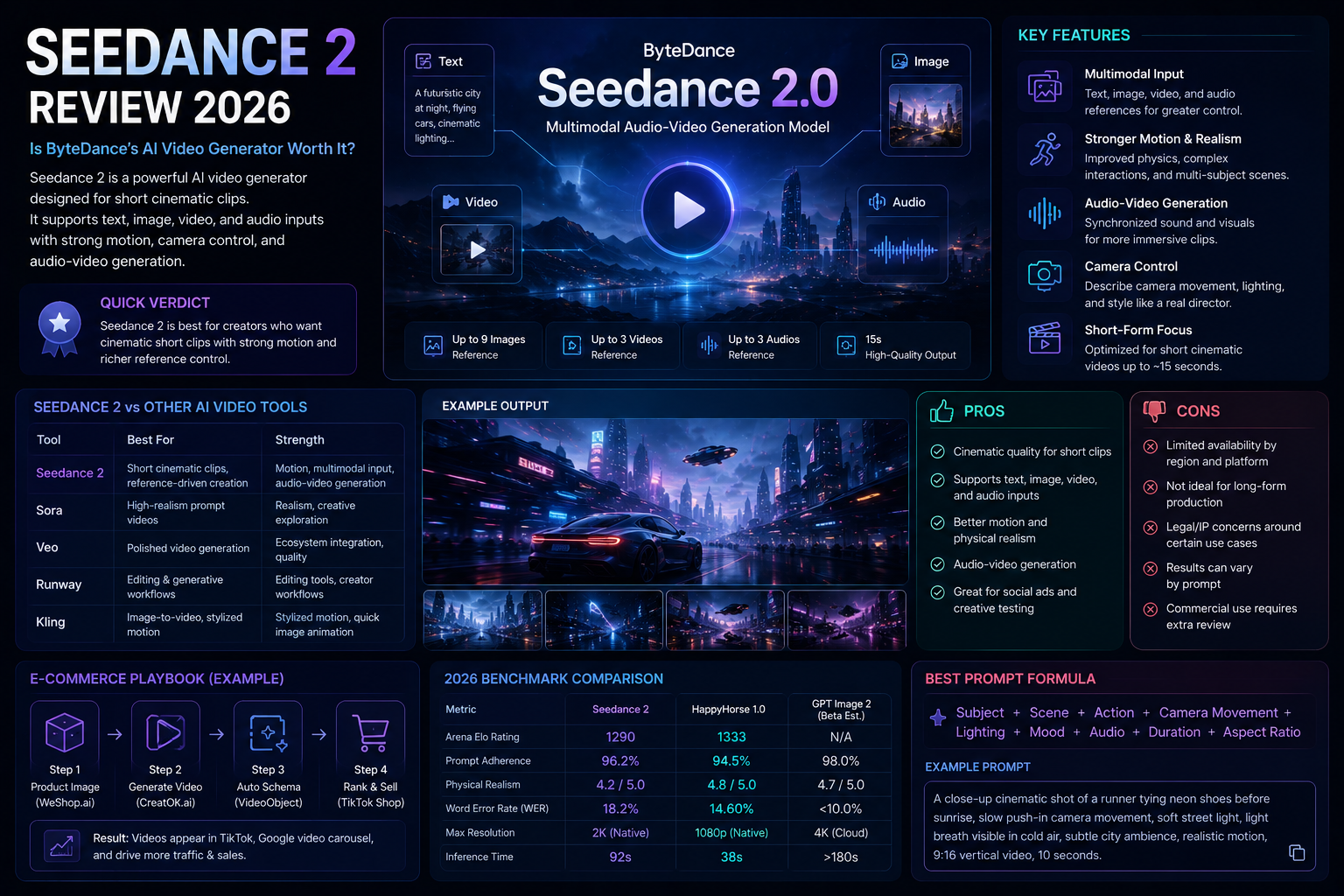
Developed by Creatok’s Seed team, Seedance 2.0 is built for short cinematic video generation with text, image, video, and audio inputs. It can create clips with motion, camera direction, sound, and visual references, which puts it in the same conversation as Sora, Veo, Runway, Kling, and other major AI video tools.
But the real question is simpler: is Seedance 2 actually useful, or is it just another impressive demo model?
Here is the short answer. Seedance 2 is very strong for short, polished, visually ambitious AI video clips. It is especially interesting for creators, marketers, and teams that want fast concept videos, ad ideas, storyboards, and social content. It is less ideal if you need long-form production, fully predictable brand control, or guaranteed access in every market.
Quick Verdict
Seedance 2 is best for creators who want cinematic short clips with strong motion and richer reference control. Its biggest strengths are multimodal input, audio-video generation, camera control, and short-form storytelling.
Its biggest weaknesses are availability, legal uncertainty around IP-sensitive content, and the natural limits of today’s AI video models. It can produce beautiful clips, but it is not a complete replacement for a video team.
What Is Seedance 2?
Seedance 2, also called Seedance 2.0, is Creatoke’s next-generation AI video generation model. Creatok officially launched it on February 12, 2026, describing it as a multimodal audio-video model that supports text, image, audio, and video inputs.
That matters because most older AI video generators started with one basic workflow: type a prompt and get a silent clip. Seedance 2 pushes further. It can use multiple reference assets and generate short videos with stronger motion, camera direction, and synchronized audio.
According to Creatok, Seedance 2 supports up to 9 images, 3 video clips, and 3 audio clips as references, plus natural language instructions. It is designed for 15-second high-quality multi-shot audio-video output.
Seedance 2 Key Features
1. Multimodal Video Generation
The standout feature is multimodal input. You are not limited to text prompts. Seedance 2 can work with text, images, videos, and audio references.
For creators, this is a big deal. A product shot, a mood board, a reference clip, and an audio cue can all help shape the final result. That gives you more control than a plain text-to-video prompt.
2. Stronger Motion and Physical Realism
AI video often falls apart when motion gets complicated. Hands warp. People float. Objects move like they have no weight.
Seedance 2 is clearly aimed at fixing that. Creatok highlights improvements in motion stability, physical accuracy, complex interactions, and multi-subject scenes. In demos, this shows up in clips with sports movement, fabric motion, camera movement, and realistic lighting.
It is not perfect, but it feels closer to “usable draft” than “weird experiment” in many short-form cases.
3. Audio-Video Joint Generation
Seedance 2 is not only about visuals. It is designed for audio-video generation, which means sound can be part of the creative output rather than something added later.
This is important for short social clips, ads, cinematic concepts, and storytelling scenes. Audio timing is often what makes a video feel finished.
4. Better Camera Control
Seedance 2 also leans into director-style prompting. You can describe camera movement, lighting, visual effects, performance, and scene structure.
This makes it more useful for people who already think in shots: marketers, filmmakers, creative directors, social video editors, and AI video artists.
5. Short-Form Output
Seedance 2 is mainly a short-form video model. Reports and official materials point to clips around 15 seconds, which is enough for social ads, hooks, product concepts, and visual tests.
It is not the right tool if you expect to generate a finished 10-minute video in one pass.
What Seedance 2 Does Well
Seedance 2 works best when the task is visual, short, and concept-driven.
It is especially good for:
cinematic short clips
social media video concepts
product ad ideas
storyboards
music-video style visuals
image-to-video animation
motion-heavy prompt tests
creative reference experiments
The model’s strongest appeal is speed. You can test a visual direction before hiring a crew, booking a studio, or spending hours in editing software.
That does not make traditional production irrelevant. It just changes where the first draft comes from.
Where Seedance 2 Still Falls Short
Seedance 2 is powerful, but it has real limitations.
First, access is still uneven. TechCrunch reported in March 2026 that Creatok paused broader global rollout plans after copyright concerns. Later, Creatok confirmed a phased rollout inside CapCut for selected markets, including Brazil, Indonesia, Malaysia, Mexico, the Philippines, Thailand, and Vietnam.
Second, the legal and copyright story is sensitive. Seedance 2 drew Hollywood attention after viral clips appeared to imitate real actors and protected entertainment IP. That means businesses should be careful. If you are creating commercial content, avoid prompts involving celebrities, copyrighted characters, recognizable movie worlds, or protected brand assets.
Third, control is still not the same as editing a real video timeline. You can guide the model, but you cannot expect frame-by-frame certainty.
Seedance 2 Pros and Cons
Pros | Cons |
|---|---|
Strong cinematic quality for short clips | Limited availability depending on region and platform |
Supports text, image, video, and audio inputs | Not ideal for long-form video production |
Better motion and physical realism than many older tools | Legal/IP concerns around certain use cases |
Useful for social ads and creative testing | Results can still vary by prompt |
Audio-video generation makes clips feel more complete | Commercial workflow may require extra review |
Seedance 2 vs Other AI Video Generators
Seedance 2 competes with tools like Sora, Google Veo, Runway, Kling, and Pika. The difference is not simply “which one is best.” The better question is what kind of video you need.
Tool Type | Best For |
|---|---|
Seedance 2 | Short cinematic clips, reference-driven creation, motion-heavy scenes |
Sora-style models | High-realism prompt videos and creative exploration |
Veo-style models | Polished video generation and Google ecosystem workflows |
Runway-style tools | Editing, generative video, creator workflows |
Kling-style tools | Image-to-video and stylized motion clips |
Seedance 2 stands out most when you want short video with rich references, stronger motion, and audio-aware generation.
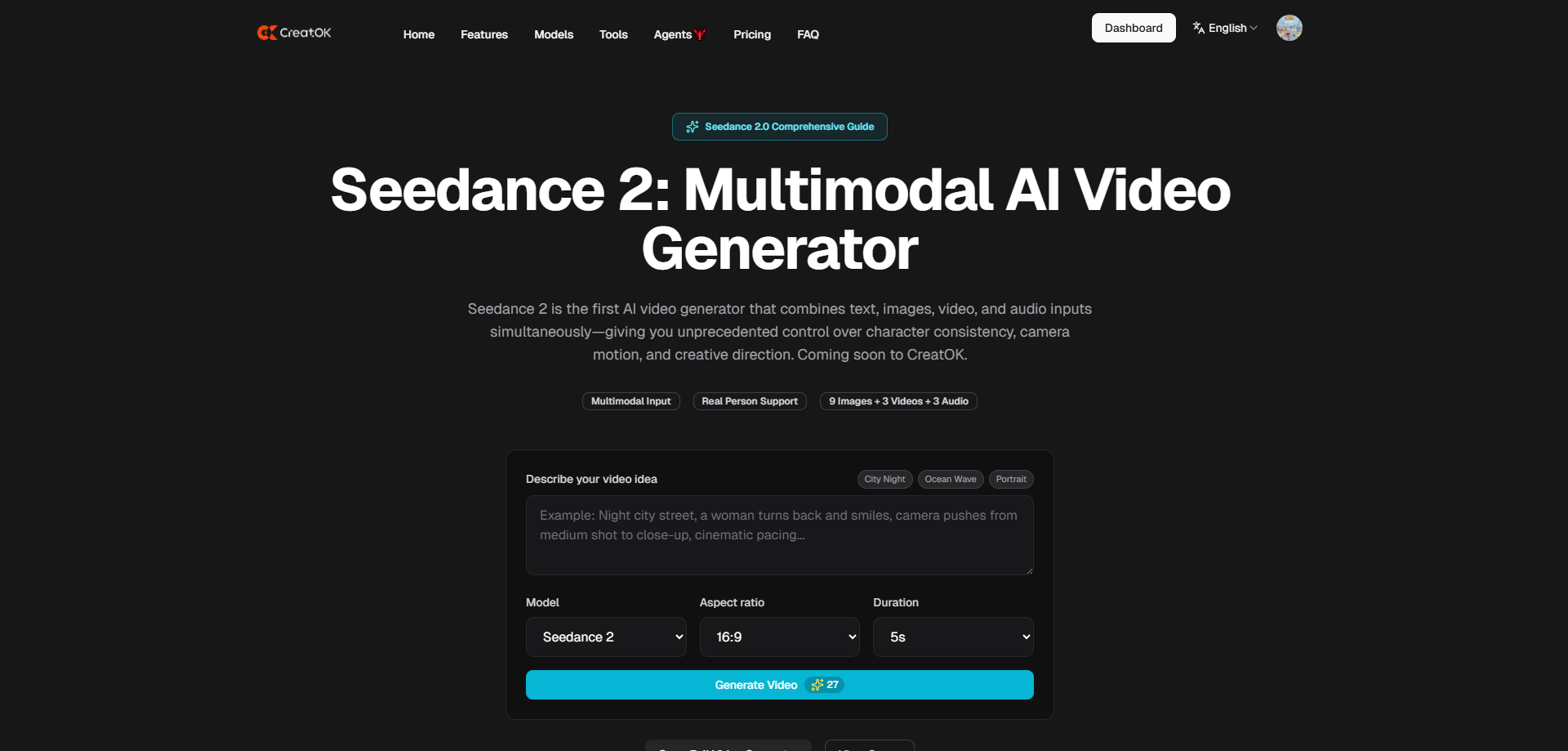
Who Should Use Seedance 2?
Seedance 2 is a good fit for:
social media creators
AI video artists
marketing teams
e-commerce brands
creative agencies
filmmakers testing concepts
product teams making video mockups
It is less suitable for:
long-form editors
brands needing strict legal clearance
teams that require stable global access
users who need predictable frame-level control
Is Seedance 2 Worth It in 2026?
Yes, if your goal is fast short-form visual creation.
Seedance 2 is worth trying if you create ads, social videos, cinematic prompts, product concepts, or storyboard-style content. It gives creators a faster way to test ideas and turn references into motion.
But it is not a magic production studio. You still need taste, editing judgment, prompt discipline, and legal awareness. The best results will come from people who treat Seedance 2 as a creative engine, not a finished-output machine.
Best Prompt Tips for Seedance 2
A good Seedance 2 prompt should sound more like direction than decoration.
Use this structure:
Subject + scene + action + camera movement + lighting + mood + audio + duration + aspect ratio
Example:
A close-up cinematic shot of a runner tying neon shoes before sunrise, slow push-in camera movement, soft street light, light breath visible in cold air, subtle city ambience, realistic motion, 9:16 vertical video, 10 seconds.
For better results:
describe the camera movement
mention what should move in the scene
use references when possible
avoid famous characters or real celebrities
keep the scene focused
write prompts like a director, not like a keyword list
FAQ
Is Seedance 2 free?
Access and pricing depend on the platform and region. Seedance 2 has appeared through Creatok-related products such as Dreamina and CapCut, but availability may vary.
Who made Seedance 2?
Seedance 2 was developed by Creatok’s Seed team.
Can Seedance 2 generate videos with audio?
Yes. Creatok describes Seedance 2 as using audio-video joint generation, and public coverage highlights synchronized audio as one of its major features.
How long are Seedance 2 videos?
Current public information points to short clips, commonly up to around 15 seconds.
Is Seedance 2 better than Sora or Veo?
It depends on the task. Seedance 2 looks especially strong for short cinematic clips, multimodal references, and motion-heavy scenes. Sora, Veo, Runway, Kling, and other tools may be better for different workflows.
Is Seedance 2 safe for commercial use?
Use caution. Avoid protected IP, celebrities, copyrighted characters, and brand assets you do not own. For commercial projects, review platform terms and licensing rules before publishing.